Kenerate AI

Prompt Library

AI Prompt Library

Curated image, video and web design prompts from creators around the world. Copy any prompt, swap the subject or style, and generate with the latest models.

15,630 prompts · Updated daily · 100% free

5,747 prompts

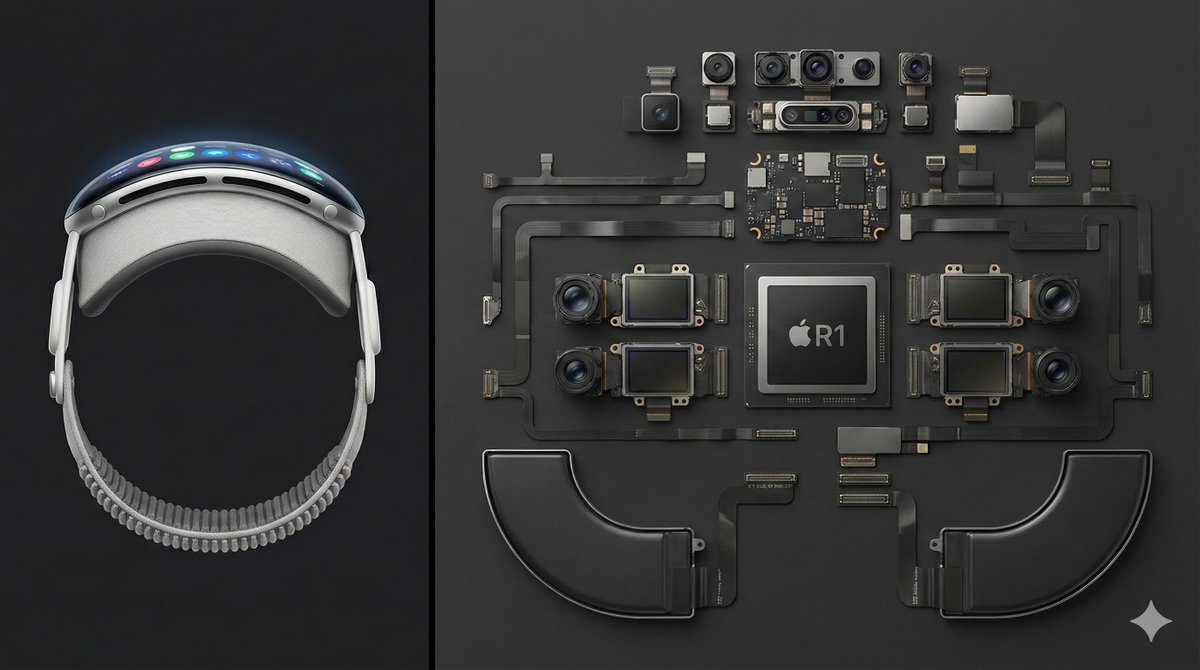
Deconstructed Apple Vision Pro Comparison Photography

Deconstructed Apple Vision Pro Comparison Photography

Deconstructed comparison photography of the latest Apple Vision Pro, split layout. Left 1/3 of the frame shows the complete device — front view, display interface illuminated, smooth curved aluminum frame clearly visible. Right 2/3 features the fully disassembled internal components, including the R1 chip, Micro-OLED display modules, camera and sensor array, battery units, and flex cable system, all arranged in a precise knolling geometric layout. Clean dark-gray background, high top-down angle, minimalist industrial aesthetic, crisp sharp detail — --ar 16:9

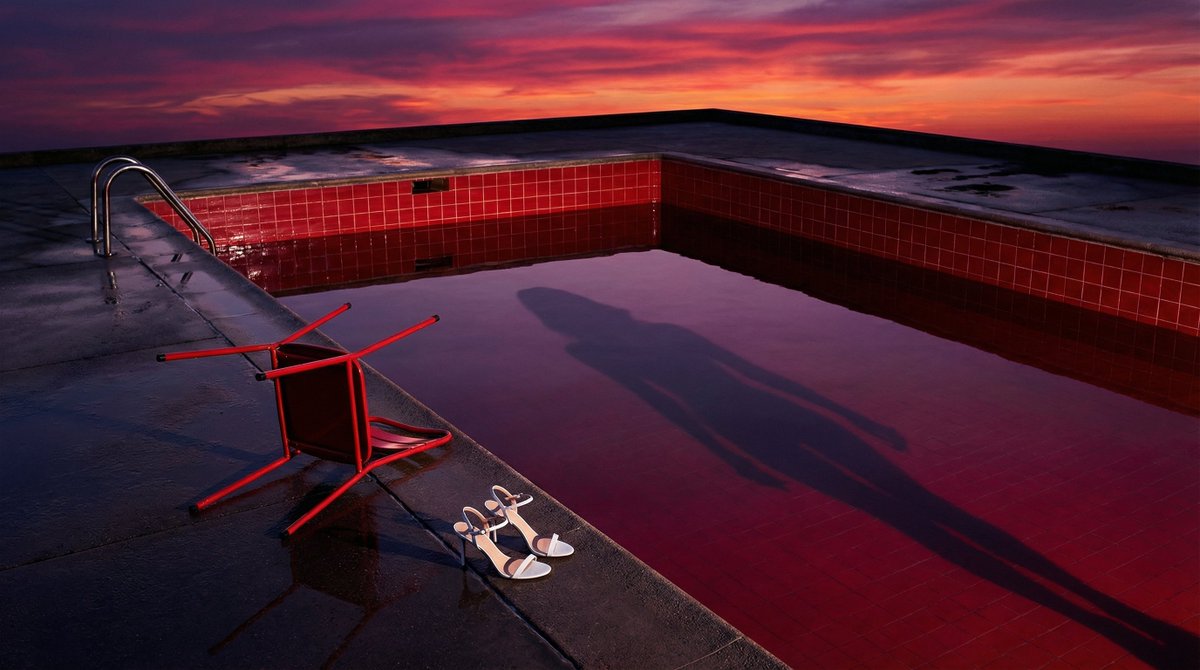
Surreal Guy Bourdin Style Pool Scene

Surreal Guy Bourdin Style Pool Scene

In the style of Guy Bourdin. An empty vintage swimming pool lined with glossy crimson tiles at dusk. A red metal chair lies overturned on the wet poolside. A pair of white heeled sandals placed neatly at the pool's edge — as if their owner simply stepped out of existence. No figure visible. Only her shadow stretches across the still water, distorted, elongated, reaching toward something we cannot see. The sky bleeds deep magenta and vermillion into the reflection. High color saturation. Surreal tension. A narrative frozen mid-sentence. Something just happened. Or is about to.

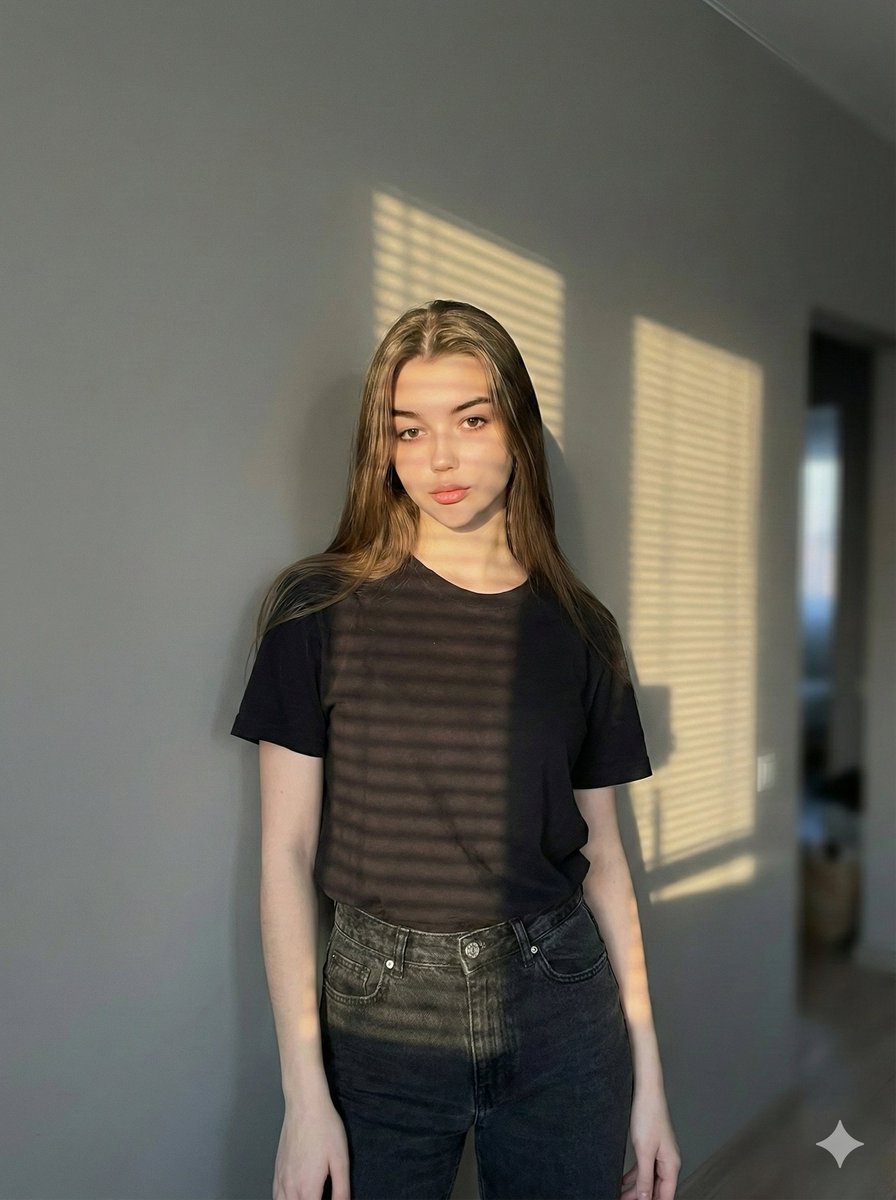
Chiaroscuro Window Portrait Prompt

Chiaroscuro Window Portrait Prompt

{ "prompt": { "subject": { "description": "Female figure with slender build, medium-sized breasts, and golden tan skin", "hair": "Long, voluminous, medium to dark brown, natural wavy texture, tousled appearance", "eyes": "Light brown/honey, shining brightly, intense and penetrating gaze", "expression": "Seductive, mysterious, looking directly at camera over shoulder, lips slightly parted" }, "clothing": "Yellow garment with visible strap (sundress, swimsuit, or top)", "action": "Standing or posing sideways near a window, turning head back towards viewer", "framing": "Full body shot, capturing figure from head to toe", "environment": "Indoors, next to a window with white or beige horizontal Venetian blinds", "lighting": { "style": "Golden hour, Chiaroscuro", "details": "Strong direct natural sunlight, dramatic horizontal striped shadows from blinds cast across the entire body, high contrast between light and dark" }, "technical_specs": { "lens": "50mm or 85mm prime lens", "aperture": "f/2.0", "quality": "8k resolution, photorealistic, cinematic texture" } } }

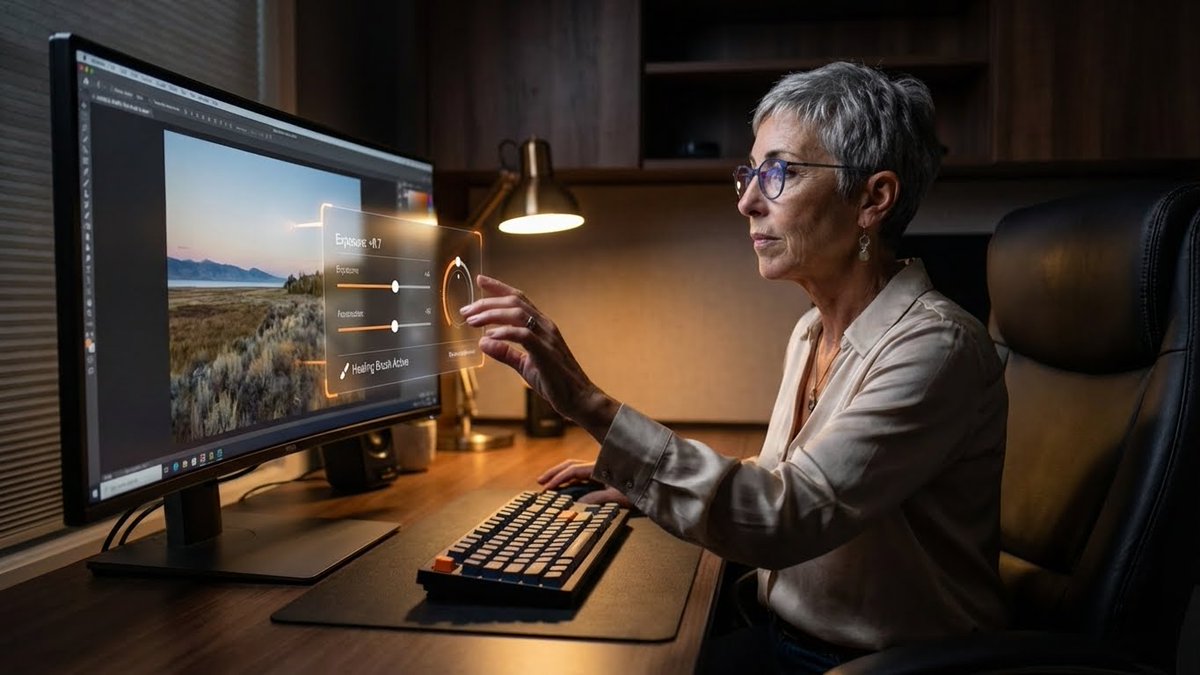
Professional Photo Editor HUD Prompt

Professional Photo Editor HUD Prompt

{ "promptDetails": { "description": "A professional photo editor at their workstation, interacting with a floating, 'in-air' professional grade Heads-Up Display for editing controls.", "styleTags": [ "Desk Setup Aesthetic", "Dark Academia (Modern)", "High Resolution Detail", "Productivity" ] }, "scene": { "background": { "setting": "A dedicated, professional editing suite/desk setup", "details": "An ultra-wide, color-calibrated monitor (showing a sample photo), a mechanical keyboard, a large, comfortable chair, dark wooden desk surface, and soft ambient lighting." }, "subject": { "description": "The person defined by `[UPLOADED IMAGE]`, wearing business-casual attire, eyes focused on the screen/overlay.", "pose": "Sitting in front of the monitor, one hand extended in front of the screen, subtly manipulating the floating UI with their fingers.", "focus": "The subject and the floating UI/tools are sharply defined." } }, "overlayObject": { "type": "In-Air Professional Editing Control Panel", "relationshipToEnvironment": "A complex control panel floating between the subject's hand and the monitor, with sliders and dials.", "transform": "The panel is slightly curved to feel ergonomic, 3D graphic design.", "surfaceInteraction": "Transparent black background with bright, glowing orange and white vector controls (like 'Exposure', 'Contrast', 'Highlights').", "components": { "control": "Exposure Slider: +0.7", "toolActive": "Healing Brush", "position": "Floating just above the keyboard area." } }, "technicalStyle": { "aspectRatio": "16:9 (Landscape)", "photographyStyle": "Commercial/Setup, Low-Key", "camera": { "shotType": "Medium Shot/Wide Shot (to capture the setup)", "angle": "Slightly side-on, capturing the subject's profile and the monitor's glow.", "depthOfField": "Deep, to show off the entire desk setup as a product shot." }, "lighting": { "type": "Screen Glow and Desk Lamp", "description": "Cool-white light from the monitor acting as the main fill, with a warm, subtle desk lamp providing accent lighting." }, "color": { "palette": "Deep grays, blacks, dark woods, and the saturated colors of the digital tools." } } }

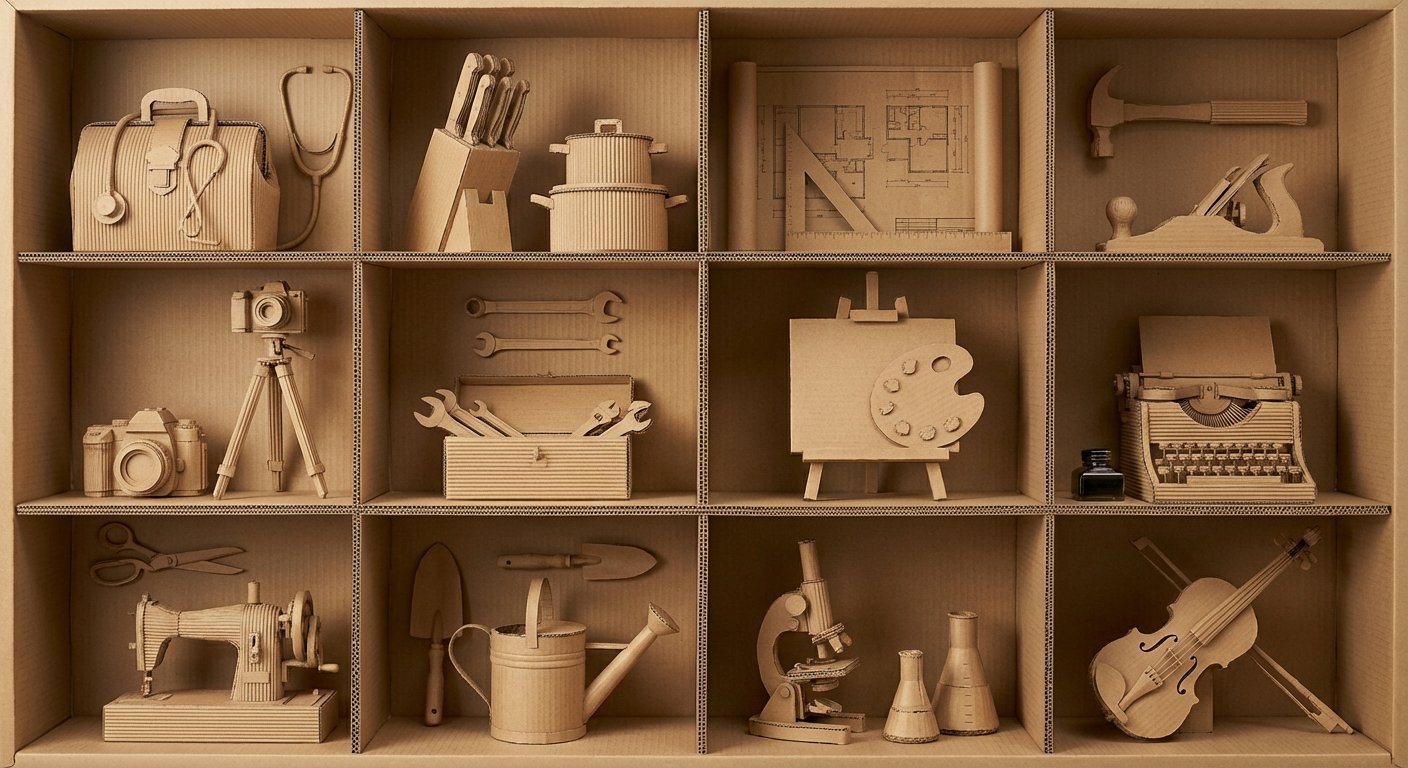
瓦楞纸艺术作品框格展示

瓦楞纸艺术作品框格展示

This is a photograph of a standard handcrafted artwork. Overall material: corrugated cardboard. Overall color: light brown (the natural color of corrugated cardboard). The artwork presents a 3×4 compartmentalized large box made from corrugated cardboard. In each compartment, displayed vertically, are various tools or items representing different professions made of corrugated cardboard (items must not repeat and must not exceed the compartment). The craftsmanship is excellent, with extremely rich details that conform to structural principles. The lighting in the photo is even, with moderate brightness, and the corrugated cardboard’s material and texture are clearly visible everywhere. Below is the list of items, totaling 12, separated by commas: {argument name="item list" default="doctor’s bag and stethoscope, knife set and pot, architectural plans and set square, hammer and hand plane, camera and tripod, toolbox and wrench, easel and palette, typewriter and inkwell, sewing machine, gardening tools (shovel and watering can), microscope and laboratory glassware, violin and bow"}

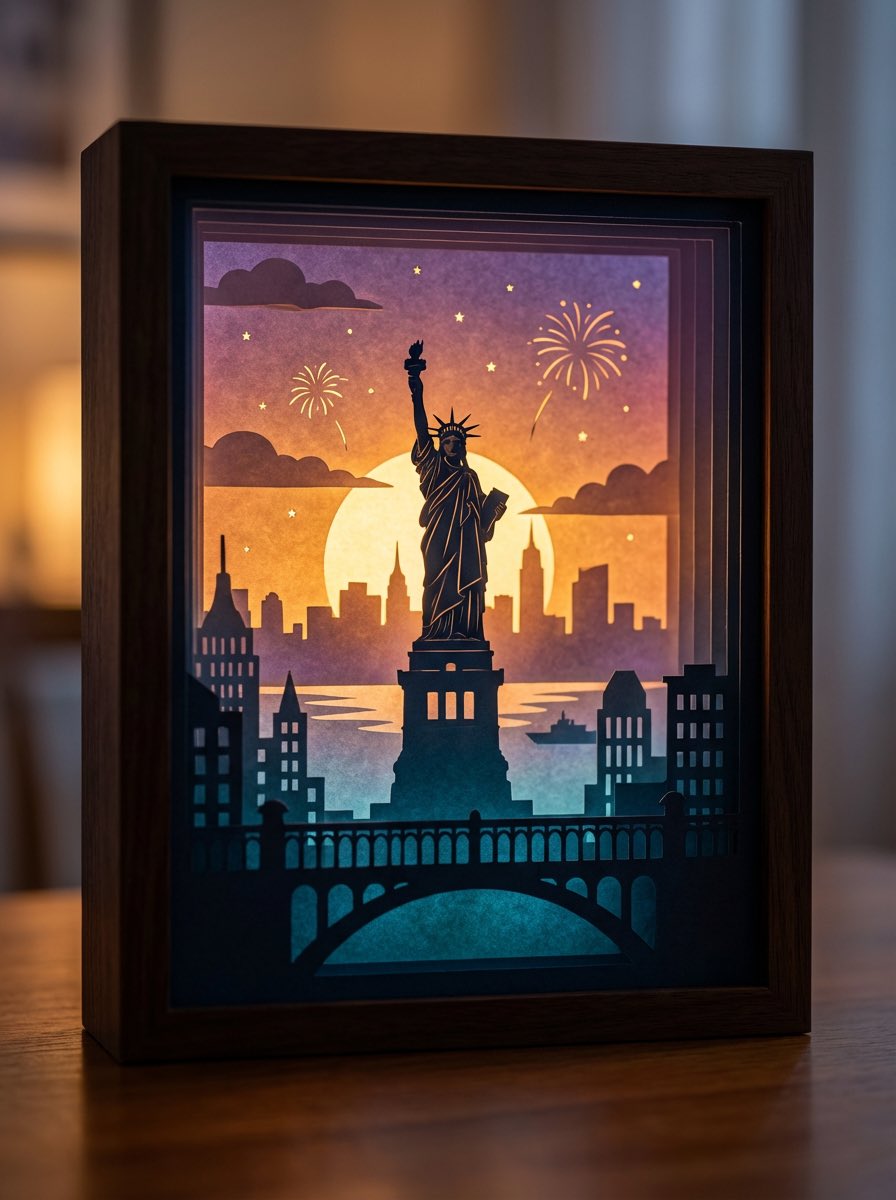
3D paper cut light box illustration framework

3D paper cut light box illustration framework

Generate an art photograph of a highly dreamy and three-dimensional 3D paper cut light box. The paper cut theme is: {argument name="theme" default="a deer in a forest under the moonlight"}. Layering structure and composition: Design the image as a real, physical paper cut light box composed of 5–7 layers of paper stacked together. Each layer must have its own depth of field and clear silhouette, and you should be able to see the thickness of the paper and the shadows between layers. Core structure: - The image should clearly present a multi-layered silhouette effect, with visible physical spacing between the paper layers. - Overall composition is vertical 3:4, with the light box centered, leaving a bit of space at the edges, like a glowing art object placed on a table. Depth layout: - Foreground (layers 1–2): use dark, intricate silhouettes that form a frame around the edges of the image, with elements matching the current theme, such as branches and vines for forest themes, windows and arches for city or castle themes, or rocks and coral for underwater or fantasy themes. - Midground (layers 3–4): this holds the core subject of the theme, slightly central in the composition and taking up the main visual weight. The subject’s silhouette must be complete and not overly blocked by the foreground. - Background (layers 5–6): use more simplified, lower-contrast silhouettes to show distant environment and structures, adding depth to the scene. Three-dimensionality: - There must be obvious physical spacing and shadows between layers. Light should pass between the paper layers to create soft gradations of light and dark, emphasizing the paper thickness and 3D depth, so it looks like a real paper cut light box, not a flat illustration. Light and atmosphere (backlighting): Backlighting: - The light source must come from the very back of the scene, shining forward through all the paper layers. - Light passing through the cutouts in each layer should form soft volumetric light and gradually decreasing brightness and contrast from back to front. Color gradients (auto-adapting to the theme): If no specific color scheme is given, automatically choose a main palette and gradient that fit the theme, while keeping a soft, night-light-friendly look. For example, warm gold to cool blue-green for forest themes, teal to deep blue for underwater themes, icy blue to deep blue for winter scenes, amber to electric blue for cyber cities, candlelight gold to deep indigo for castles, or deep blue to purple with golden glows for space themes. If the user clearly specifies a color direction or mood (such as “cool sci-fi” or “pink-blue dreamy”), follow that as the top priority while maintaining the soft backlit, soothing feeling of a night light. Overall feel: The image should feel quiet, healing, and storybook-like, like a softly glowing bedtime story lamp, not a noisy neon poster or infographic. Materials and details: Paper texture: - Emphasize the reality of heavy art paper: fine texture, slight visible fibers, clean sharp cut edges with visible thickness, and light that diffuses softly through the paper like a real fibrous material, not plastic or metal. Physical light box photography feel: - Present the image as a photograph of a real light box, not a flat illustration or vector graphic. You can faintly show the light box frame (simple white or light wood) and a slightly blurred tabletop or environment. - The lighting should feel natural, with real-lens depth of field: slightly blurred foreground, sharp midground subject, and soft background. Detail decorations: - You may add a modest amount of tiny floating elements between paper layers to enhance space, such as tiny glowing dots, dust motes, snowflakes, bubbles, or other small particles relevant to the theme. Their number must be restrained so they only enhance atmosphere and depth without cluttering or disrupting the silhouette structure. Technical parameters: vertical 3:4 ratio, high-resolution output.

Luxury minimalist product photography based on a reference image

Luxury minimalist product photography based on a reference image

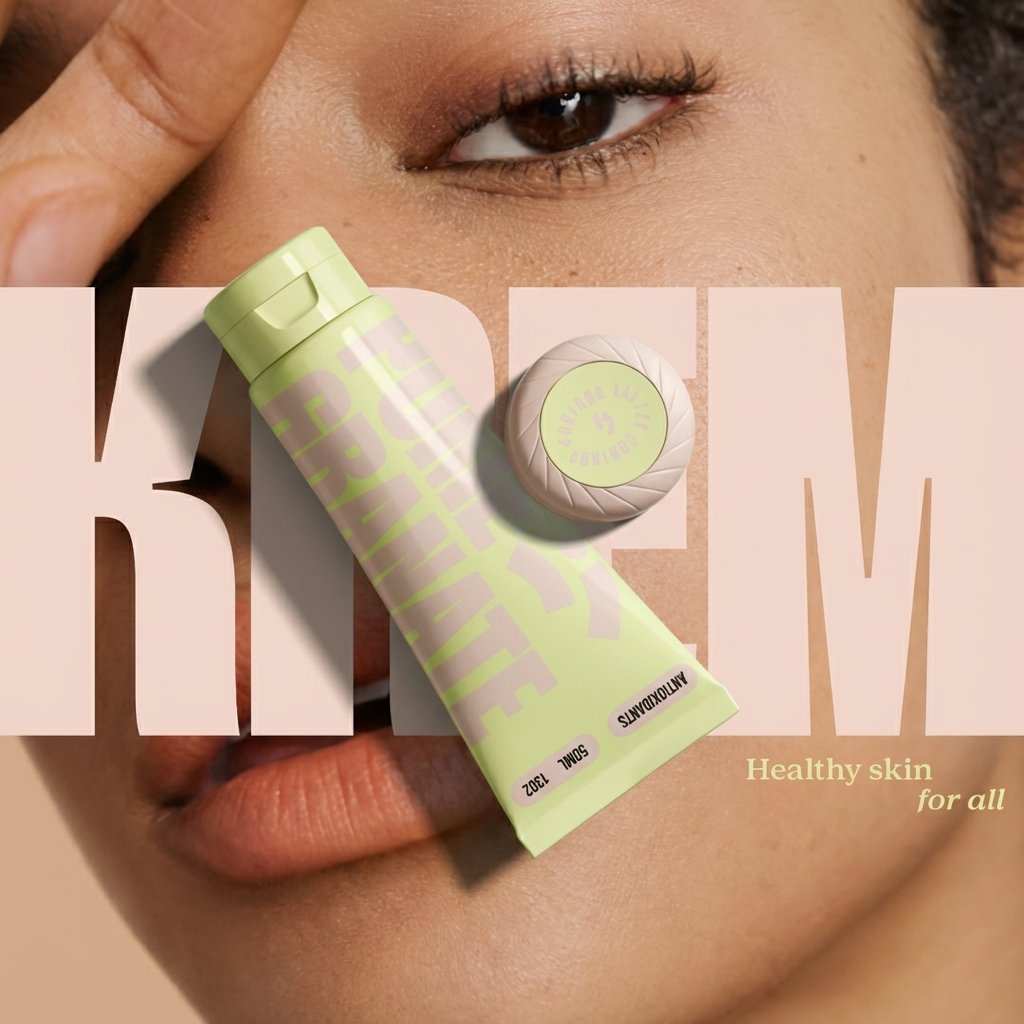
Using my uploaded reference image as the base, generate a minimalist, high-quality commercial still life photograph with the aesthetic of a luxury brand advertisement. Preserve the general shape, proportions, and main color scheme of the core product in the reference so that it is instantly recognizable as the same product, but upgrade the overall texture and atmosphere of the image, making it look like an ad for a top-tier international fragrance, skincare item, or high-end electronic product. Use a vertical 4:5 composition. The background should be a large area of clean, neutral negative space, such as soft off-white, cool gray, or light beige, creating a quiet, restrained, and expensive studio environment. Apart from the core product and a minimal number of necessary supports, do not add any extra decorations. No clutter, no elaborate scene setup—only keep very simple geometric supports (such as a plain white cube, a cylinder, or a thin transparent panel). The supports must be simple and low-profile, existing only to hold and accentuate the product. Strongly emphasize the material details of the product, and let the lighting fully serve those materials: Show frosted glass with a fine, soft matte texture, ceramics with a matte or slightly glazed feel, and polished metal with clean, sharp specular highlights. Liquids should have clearly visible viscosity and volume. Avoid any cheap plastic feel, complex patterns, or gaudy stickers; the overall material quality must feel cool, restrained, and luxurious. Use professional studio lighting: mainly soft, diffused light from softboxes, plus precise rim light outlining the product’s shape. The contours should be crisp and layered, and the shadows should be soft and clean, with no noise or dirty shadow patches. You may use a near-macro viewpoint, moving in closer to the product to highlight materials and details, while preserving ample negative space around the frame so the product can "speak for itself" in the emptiness. Keep the overall color scheme neutral and calm. The product’s own color can be slightly more saturated, making it the single visual focal point in the scene. Do not use exaggerated gradient backgrounds, flashy colored lighting, or e-commerce promo aesthetics. No large-price text, labels, or cartoon graphics. The final result must be a high-resolution commercial key visual that looks ready for a magazine back cover or a high-end brand announcement poster: minimalist, quiet, high-end, with the core product confidently centered, surrounded by clean negative space and precisely controlled lighting.

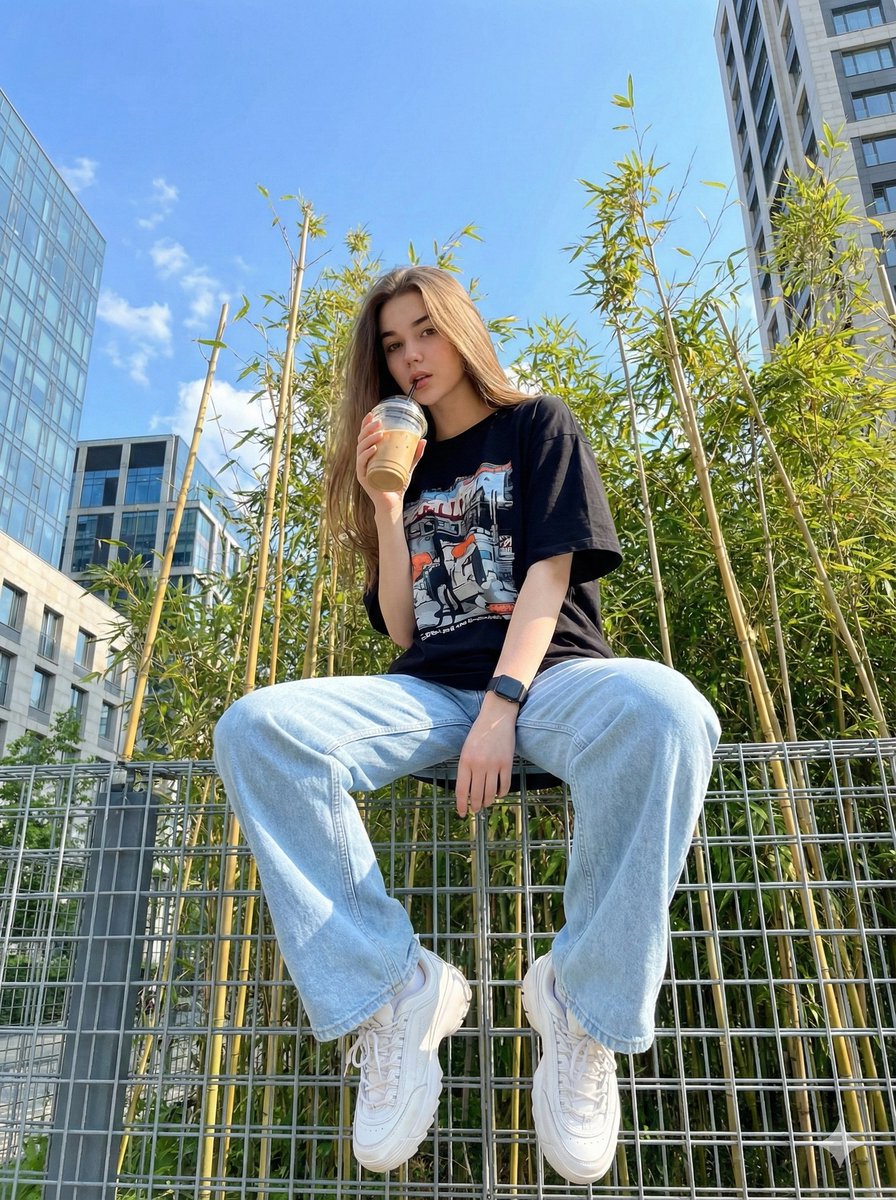
Structured JSON prompt for a stylish streetwear portrait of a young woman

Structured JSON prompt for a stylish streetwear portrait of a young woman

{ "image_generation_prompt": { "subject": { "description": "{argument name="subject description" default="Young woman"}", "reference_basis": "{argument name="reference basis" default="User provided photo"}", "expression": "{argument name="expression" default="Casual and stylish"}" }, "outfit": { "style": "{argument name="outfit style" default="Streetwear"}", "top": "{argument name="top" default="Black oversized t-shirt with a cool graphic design"}", "bottom": "{argument name="bottom" default="Light blue oversized wide-leg jeans"}", "footwear": "{argument name="footwear" default="White chunky sneakers"}", "accessories": "{argument name="accessories" default="Black wrist watch"}" }, "pose_and_action": { "stance": "{argument name="stance" default="Standing"}", "hand_placement": "{argument name="hand placement" default="One hand in pocket"}", "holding_object": "{argument name="holding object" default="Iced drink in a plastic cup with a straw"}" }, "environment": { "immediate_surroundings": "{argument name="immediate surroundings" default="Steel wire fence"}", "background_elements": [ "{argument name="background element 1" default="Bright blue sky"}", "{argument name="background element 2" default="Bamboo trees"}", "{argument name="background element 3" default="Modern buildings"}" ] }, "technical_details": { "medium": "{argument name="medium" default="Digital photography"}", "camera_angle": "{argument name="camera angle" default="Low angle / worm's-eye view"}", "lighting": "{argument name="lighting" default="Daylight, bright"}" } } }

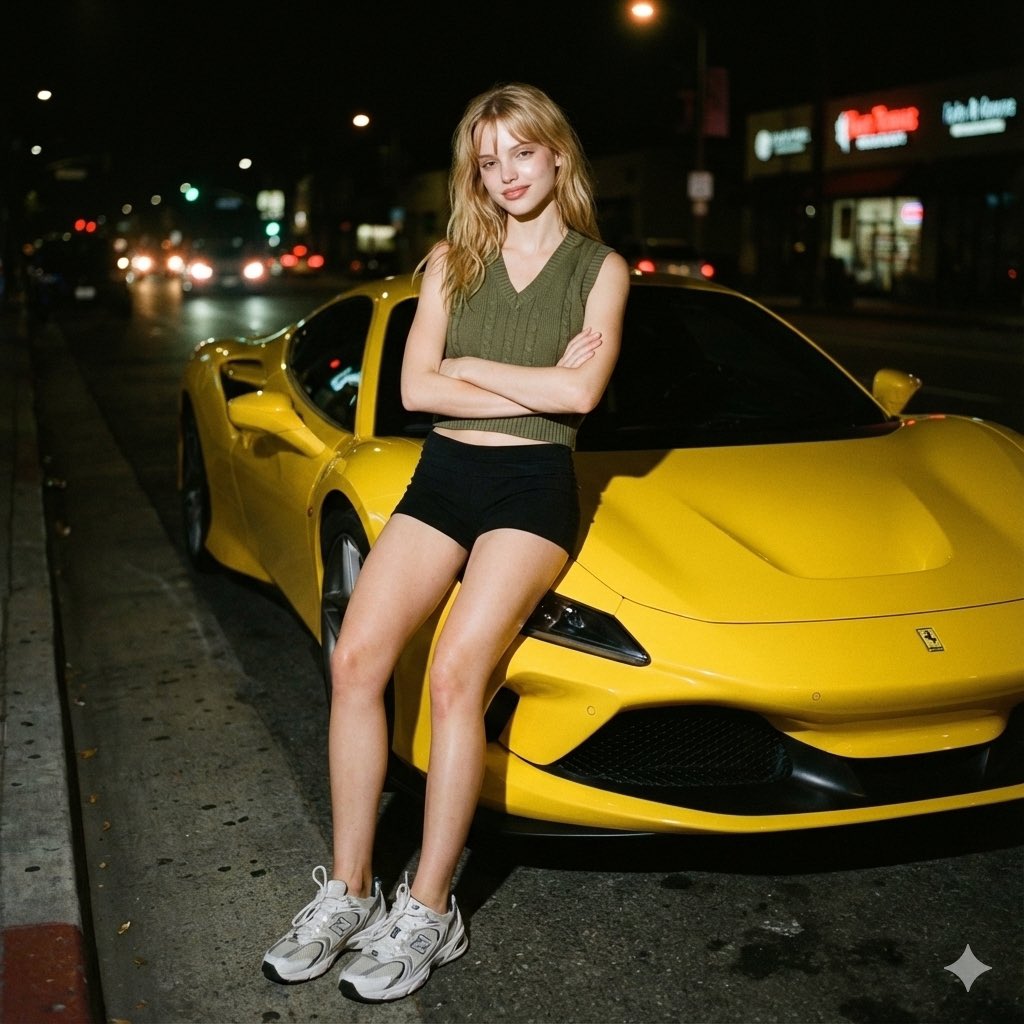
Candid night street portrait with Ferrari prompt

Candid night street portrait with Ferrari prompt

{ "image_metadata": { "resolution": "{argument name="resolution" default="1200x1200px"}", "genre": "Candid street portrait", "editing_note": "Face edited without alteration to features" }, "photography_style": { "medium": "Analog 35mm film-style", "overall_aesthetic": [ "raw", "nostalgic", "gritty" ], "visual_artifacts": { "grain": "Subtle but distinct film grain visible throughout frame", "bokeh": "Soft in background" }, "color_grade": { "palette": "Muted and slightly warm", "contrast": "High contrast (typical of flash)" } }, "lighting_characteristics": { "primary_source": { "type": "Camera flash", "direction": "Direct, shining on face and body" }, "effects_on_subject": { "highlights": "Strong", "shadows": "Sharp, cast behind subject", "skin_glow": "Slight glow from flash" }, "ambient_light": { "level": "Minimal", "sources": ["streetlights", "car headlights", "neon signs"], "appearance": "Blurred and slightly halated" } }, "subject_details": { "pose": { "stance": "Leaning next to vehicle", "arms": "Folded across chest", "style": "Natural, candid" }, "expression": "Slight smile towards the camera", "features": { "skin_texture": "Natural" }, "attire": { "top": "Army green V-neck knit crop vest", "bottom": "Black shorts", "footwear": "White-grey New Balance 530 sneakers" } }, "environmental_context": { "time_of_day": "Night", "setting": "Dark city street", "key_elements": { "foreground_object": "Bright yellow Ferrari F8", "background": { "brightness": "Dark", "noise_level": "Minimal" } } } }

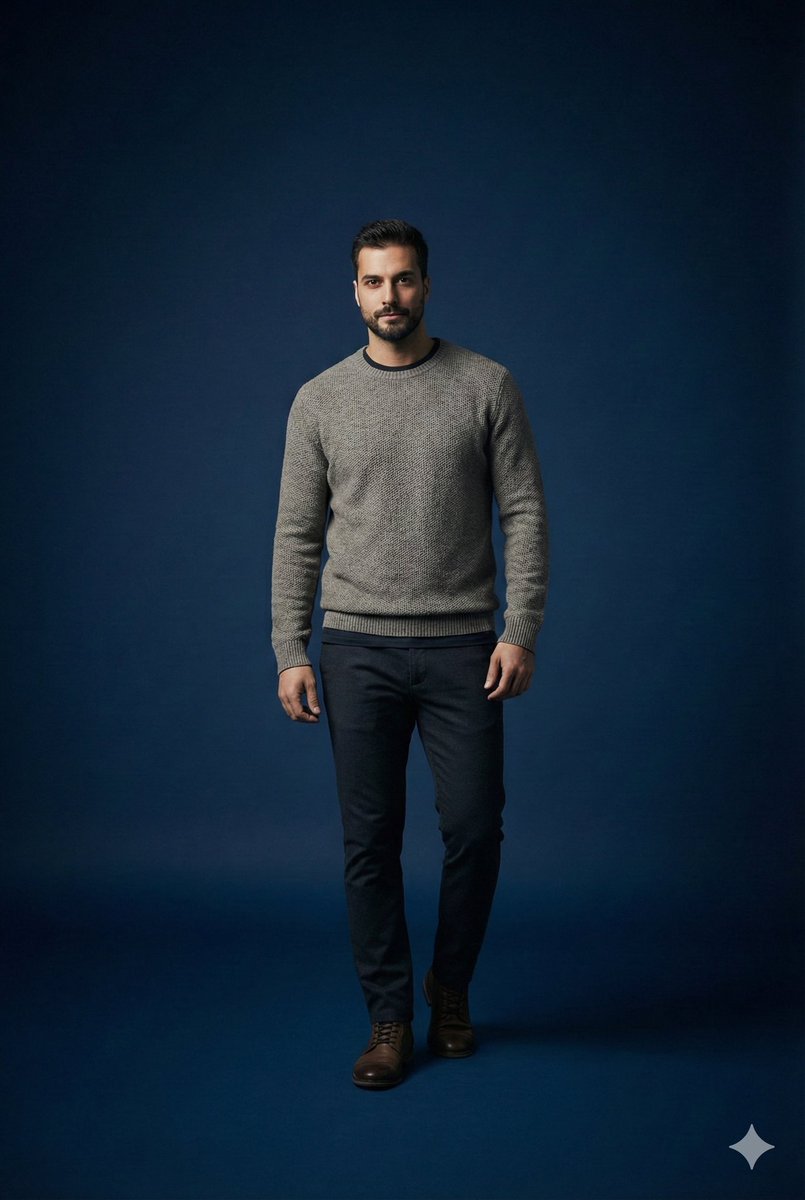
Studio portrait parameter-style prompt for a male subject

Studio portrait parameter-style prompt for a male subject

Scene studio = {argument name="studio enabled" default="true"} studio background color = "{argument name="studio background color" default="dark_blue"}" studio lighting = "{argument name="studio lighting" default="minimal_soft_spotlight"}" focus subject = "{argument name="focus subject" default="male_same_as_reference"}" focus style = "{argument name="focus style" default="sharp_primary_subject"}" depth background = "{argument name="background depth" default="smooth_blur"}" subject pose = "{argument name="subject pose" default="standing_pose_confident_casual"}" subject expression = "{argument name="subject expression" default="neutral_but_stylish"}" subject outfit type = "{argument name="subject outfit type" default="casual_fashionable"}" subject outfit details = { top: "{argument name="top" default="minimalist_warm_layer"}", bottom: "{argument name="bottom" default="clean_fitted_pants"}", overall_vibe: "{argument name="overall vibe" default="modern_casual_aesthetic"}" } camera lens = "{argument name="camera lens" default="85mm_portrait"}" camera framing = "{argument name="camera framing" default="mid_shot"}" camera mood = "{argument name="camera mood" default="studio_cinematic_minimal"}" render quality = "{argument name="render quality" default="ultra_hd"}"

Ad recreation prompt using your product and brand aesthetics

Ad recreation prompt using your product and brand aesthetics

Recreate this ad concept using {argument name="your product" default="my product"} instead of the competitor’s product. Keep the same mood, lighting, composition, and overall vibe. Remove all competitor branding. Replace the product with the one from {argument name="reference image" default="my uploaded image"} and adapt all background elements, props, and surrounding textures to be visually relevant to {argument name="your brand" default="my product’s brand"}, {argument name="flavor profile" default="my product’s flavor profile"}, and aesthetic — not the original brand’s. Maintain photorealism and accurate product proportions.

Product photography prompt for a Tokyo pop-up atlas scene

Product photography prompt for a Tokyo pop-up atlas scene

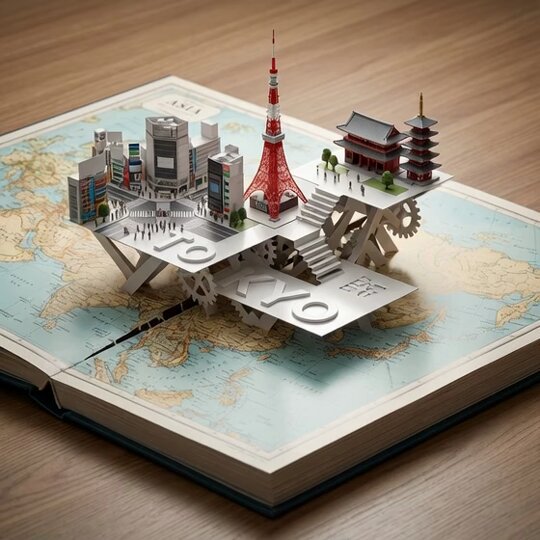
An open hardcover atlas lies flat, with a precision pop-up miniature of {argument name="city" default="Tokyo"} rising from a laser-cut slit across the {argument name="map region" default="Asia"} map. Landmarks {argument name="landmark 1" default="Shibuya Crossing"}, {argument name="landmark 2" default="Tokyo Tower"}, and {argument name="landmark 3" default="Sensō-ji Temple"} interlock with folded paper struts. White 3D "{argument name="title text" default="TOKYO"}" emboss/deboss blends into the pop-up platforms. Softboxes at 45° and 120°, polarized reflections, dynamic low angle, razor-sharp fold edges.

Couple MacBook screen selfie simulation prompt

Couple MacBook screen selfie simulation prompt

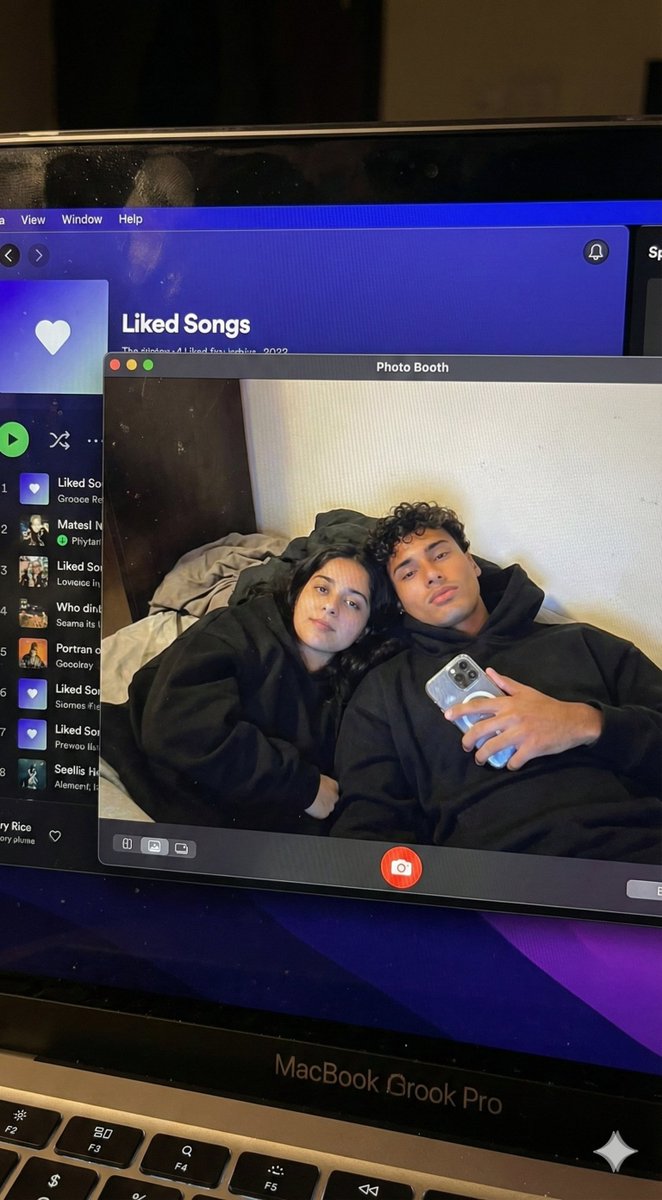
{ "task_configuration": { "task_type": "screen_simulation_photorealism", "target_model": "SDXL_1.0_Refiner", "aspect_ratio": "3:4", "resolution": { "width": 1152, "height": 1536 } }, "visual_hierarchy": { "layer_1_physical_macro": { "camera_angle": "Downward-angled, high-angle", "framing": "MacBook screen filling 95% of the frame", "surface_imperfections": [ "subtle pixel-grid texture (moire)", "tiny dust particles on the glass", "faint ambient light reflection on the glossy screen", "fingerprint smudges" ], "foreground_anchor": "Thin strip of the physical keyboard visible at the lower edge" }, "layer_2_digital_interface": { "theme": "Dark Mode (macOS)", "window_layout": { "left_panel": "Spotify 'Liked Songs' playlist (dimmed)", "right_panel": "Photo Booth live-preview window (dominant focus)" } }, "layer_3_nested_subject_content": { "context": "Inside the Photo Booth window", "environment": "Dim bedroom, off-white wall, rumpled bedding", "lighting_simulation": "Cool screen glow mixed with warm skin tones, deep nocturnal shadows", "subjects": { "shared_attributes": [ "Oversized black hoodies", "Hoods pushed back (faces fully visible)", "Reclining pose", "Looking at the screen" ], "subject_a_guy": { "identity_target": "{argument name="guy reference image in english" default="2nd image attached"}", "action": "Holding a phone in the right hand with a clear reflective case", "position": "Right/Center" }, "subject_b_girl": { "identity_target": "{argument name="girl reference image in english" default="1st image attached"}", "action": "Resting closely beside Subject A", "position": "Left/Center" } } } }, "prompt_assembly": { "positive_prompt": "Hyper-realistic downward shot of a MacBook screen. The screen surface has visible dust, pixel grid, and reflection. The screen displays a Photo Booth window showing a couple in a dark room. [Subject Descriptions]. They are wearing black hoodies. The lighting is low-key, candid, nocturnal, bluish screen glow. High fidelity, raw photo, unedited.", "negative_prompt": "vector art, screenshot, flat digital image, clean glass, perfect screen, daylight, bright studio lights, cartoon, 3d render, painting, watermark" }, "identity_preservation_settings": { "strictness_level": "CRITICAL", "methodology": { "face_restoration": false, "note": "Disable generic face restorers (CodeFormer) to avoid a 'plastic' look. Use IP-Adapter.", "control_net_stack_multiline_placeholder": "[ControlNet configuration continues here]" } } }

Sora video prompt for Macho Meal McDonald’s commercial

Sora video prompt for Macho Meal McDonald’s commercial

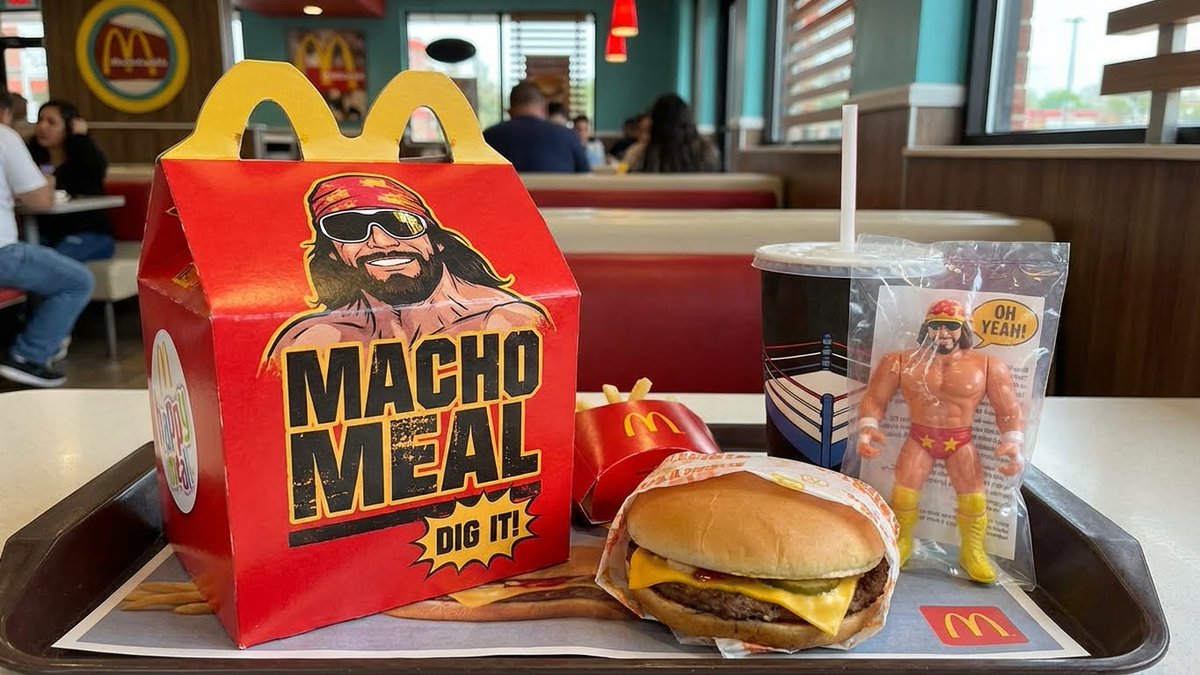
Authentic vintage 1980s commercial for the {argument name="product name in english" default="Macho Meal happy meal"} at {argument name="brand in english" default="McDonalds"} featuring {argument name="celebrity in english" default="Macho Man Randy Savage"}.

3D embossed brand logo on monochrome background

3D embossed brand logo on monochrome background

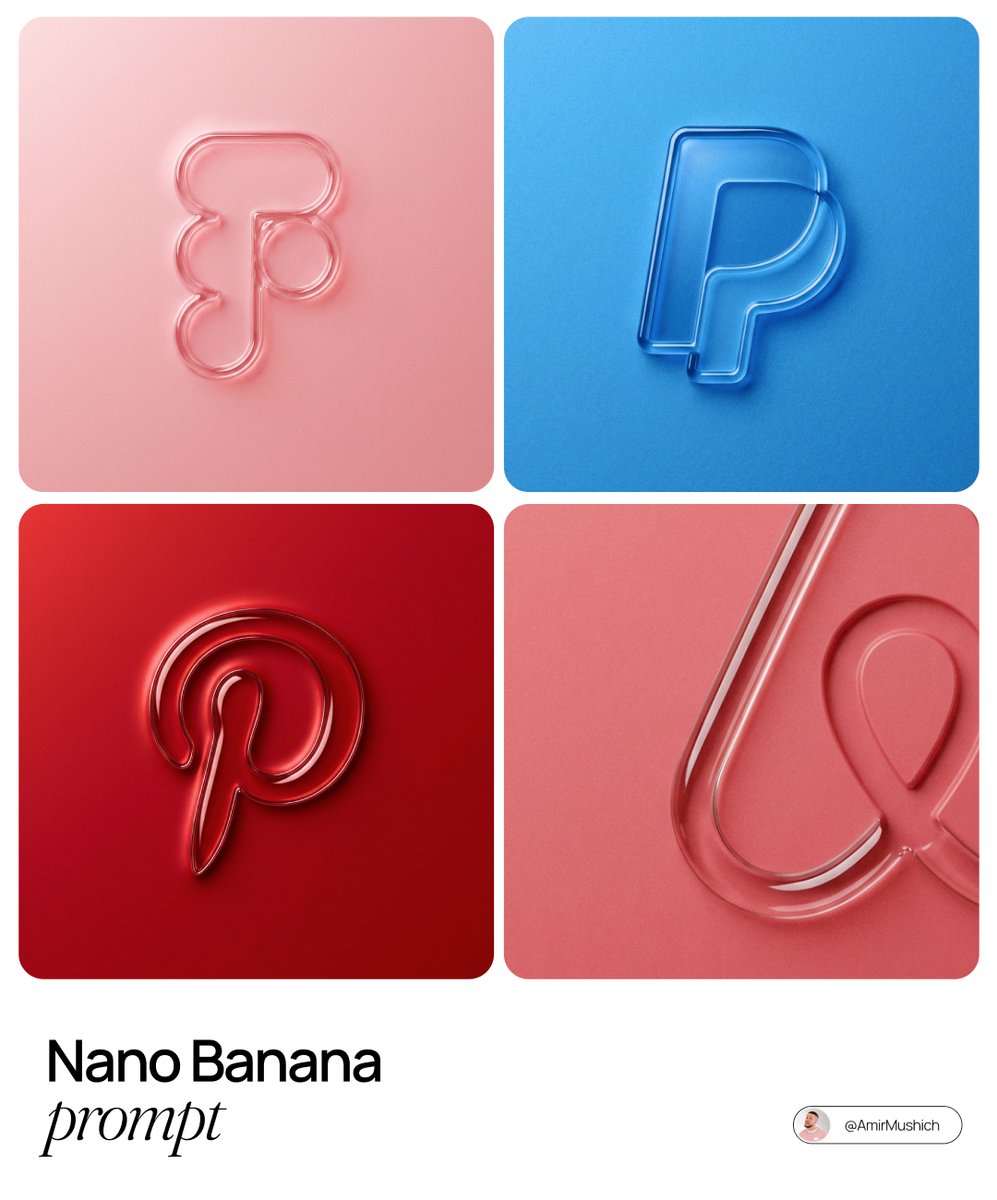
The centrally aligned {argument name="brand name" default="[brand name]"} on a flat surface is rendered with a 3D embossed glossy outline, perfectly centered in the composition with ample surrounding white space, creating a high-end minimal aesthetic. A monochrome {argument name="main color" default="[color]"} palette with a soft gradient in tone. The object is defined by raised, liquid-smooth glass borders or chrome edges, blending seamlessly with the background to form an integrated embossed effect. A matte surface overlaid with subtle film grain or noise texture. Soft diffused lighting with strong specular highlights at the rounded corners, viewed from a top-down perspective.

3D chibi miniature travel spot concept prompt

3D chibi miniature travel spot concept prompt

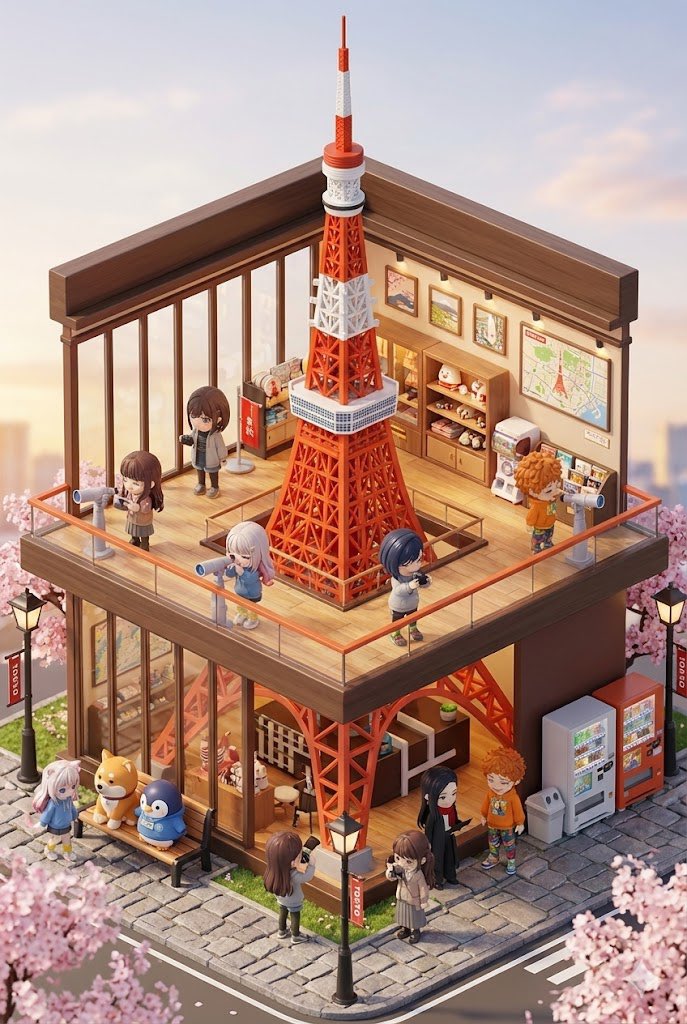
A 3D chibi-style miniature travel concept themed around {argument name="travel location name" default="Mount Fuji"}. At the center is a creatively designed two-story observation deck and tourist information center, built around a giant iconic {argument name="symbol of the travel location" default="symbol of the travel location"} object. Through the large glass windows, you can see the intricately detailed interior, with warm lighting and decorations based on {argument name="theme color of the travel location" default="theme color of the travel location"}. Miniature characters wearing tour guide uniforms are working inside, while visiting mini characters are taking photos and relaxing. Around the building are benches, streetlights, stone-paved walkways, and {argument name="local natural elements or plants" default="local natural elements or plants"}, expressing the unique atmosphere of the destination. It is rendered in a miniature cityscape style using Cinema 4D, with the aesthetic of a blind-box toy, rich details, and soft lighting that evokes the feeling of a relaxing travel afternoon. Please place the mini characters by referring to the attached character sheet. --ar 2:3

3D chibi miniature brand concept store prompt

3D chibi miniature brand concept store prompt

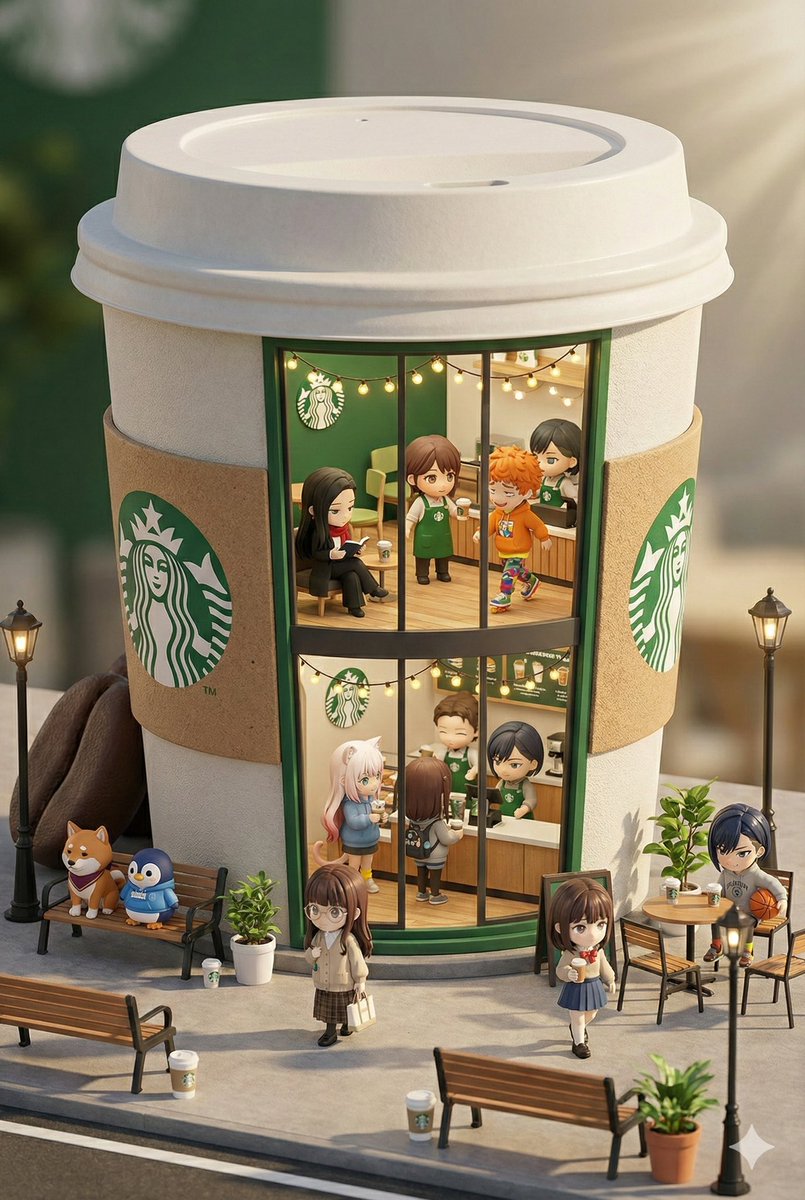
A 3D chibi-style miniature concept store for {argument name="brand name" default="Starbucks"}, creatively designed with an exterior inspired by the brand’s most iconic products or packaging (for example, a giant {argument name="core product of the brand" default="chicken bucket/hamburger/donut/roast duck"}). The store is two stories tall with large glass windows that clearly showcase a cozy, richly decorated interior: decorations themed around {argument name="primary color of the brand" default="primary color of the brand"}, warm lighting, and busy staff wearing outfits that match the brand. Cute tiny figures walk and sit along the street, surrounded by benches, streetlights, and potted plants, creating a charming urban scene. It is rendered in a miniature cityscape style using Cinema 4D, with the aesthetic of blind-box toys, abundant detail, and realistic yet soft lighting that evokes a relaxed afternoon atmosphere. Please include the mini characters by referring to the attached character sheet. --ar 2:3

Snow globe character illustration prompt for Nano Banana Pro

Snow globe character illustration prompt for Nano Banana Pro

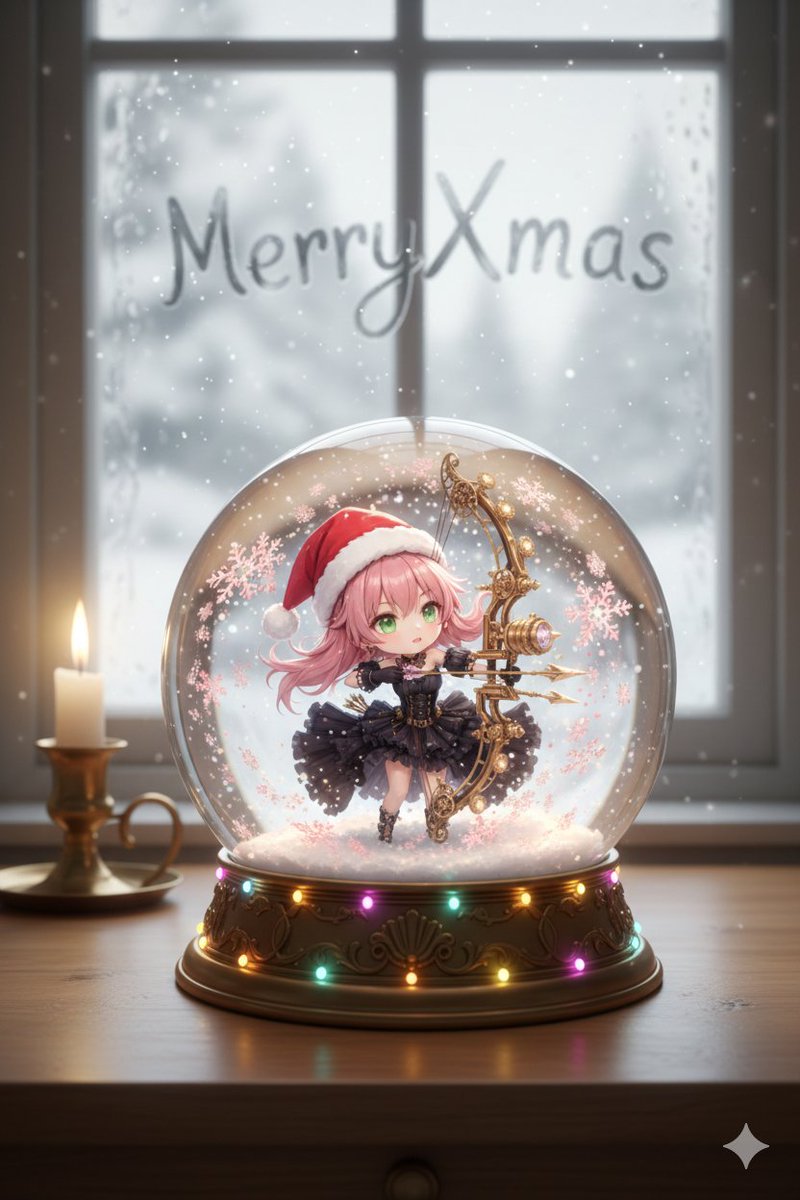
Maintain the characteristics of the character from the attached reference image, and depict them as a default chibi character in anime style striking an uncool pose. Place a small raccoon dog on their head. The character is placed inside a realistically rendered snow globe, where fantastical powdery snow is falling and piling up in a dramatic night scene. The base of the globe is decorated with LED illumination. The snow globe is displayed on a warm wooden desk, with a candle a little farther back. On the fogged window, only the part where the phrase "(ᐢ⓿ᴥ⓿ᐢ) たぬ参上" is traced in a handwritten-looking font allows a view of the snowy Japanese landscape outside. Do not show any human fingers. Do not make the raccoon dog’s tail striped.

Cinematic lakeside hanging chair concept prompt with space object theme

Cinematic lakeside hanging chair concept prompt with space object theme

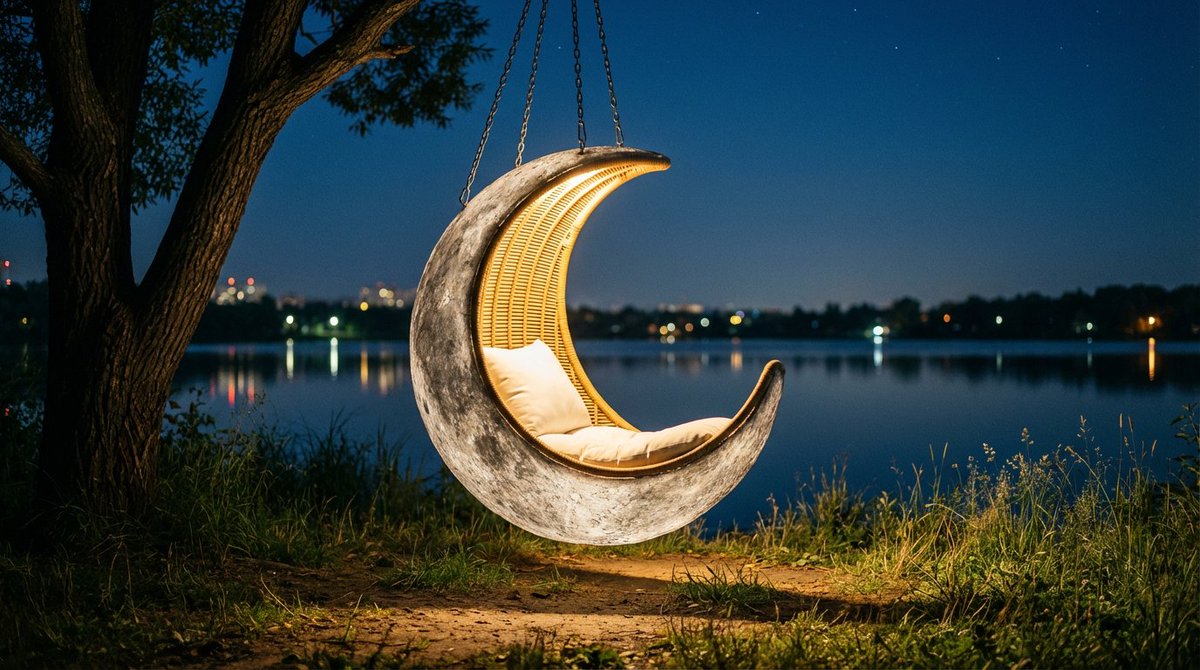
Cinematic night scene of a cozy outdoor retreat by a calm lakeshore. In the center, a large hanging chair inspired by {argument name="space object in English" default="[SPACE_OBJECT]"} floats just above the ground, suspended by sturdy metal chains from a thick, low tree branch on the left. The chair’s overall silhouette, proportions, color palette, and surface detailing are clearly derived from this celestial body, so its characteristic outline, light and dark regions, subtle bands, patches, and recognizable markings from astronomy images are faithfully translated into the design of the outer shell. The material looks like a refined, slightly weathered fusion of stone and metal with finely sculpted relief matching those distinctive patterns, while the interior forms a smooth, comfortable hollow lined with warm woven fibers and cushions that softly echo the same hues. A plush pillow rests inside, illuminated by a gentle glow from within the chair, casting a soft pool of light onto the surrounding earth and grass. Tall wild grasses and small plants encircle the base

Some prompts are collected from creators on X. Copyright belongs to the original authors.