Kenerate AI

Prompt Library

AI Prompt Library

Curated image, video and web design prompts from creators around the world. Copy any prompt, swap the subject or style, and generate with the latest models.

15,630 prompts · Updated daily · 100% free

226 prompts

Cinematic Winter Travel Scene with Zootopia Characters

Cinematic Winter Travel Scene with Zootopia Characters

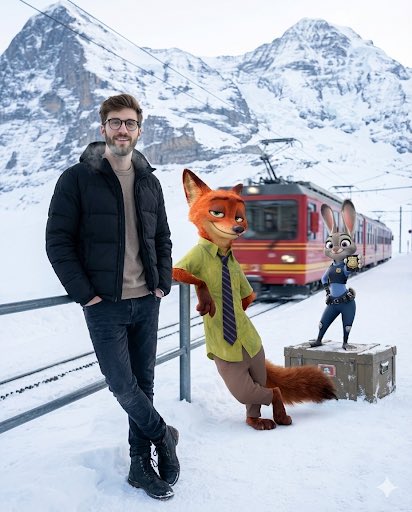
A cinematic winter travel moment set at a quiet Alpine mountain station just after snowfall. A young man stands near the edge of a snow-dusted platform, wearing a matte black puffer jacket over a neutral sweater, dark jeans, and winter boots. His posture is relaxed, hands in pockets, breath faintly visible in the cold air, with a calm, confident expression and natural, realistic skin texture. Beside him, {argument name="animated character 1" default="Nick Wilde from Zootopia"} leans against a metal railing, hands casually folded, wearing his signature green shirt and striped tie, giving a knowing side-smirk as if mid-conversation. A few steps away, {argument name="animated character 2" default="Judy Hopps"} stands atop a snow-covered luggage crate, adjusting her blue police uniform with an upbeat, alert expression, ears slightly raised. In the background, towering snow-covered Alpine peaks fade into soft atmospheric haze. A red mountain train slowly departs the station, leaving subtle motion blur and a sense of journey. Cold winter daylight, soft diffused light reflecting off the snow, realistic shadows grounded in the environment. Ultra-detailed textures, crisp winter air, cinematic depth of field. Photorealistic human seamlessly blended with high-quality animated characters. Travel-film aesthetic, emotionally warm yet minimal, high resolution, 4:5 aspect ratio.
Character Riding Pegasus Fantasy Illustration Prompt

Character Riding Pegasus Fantasy Illustration Prompt

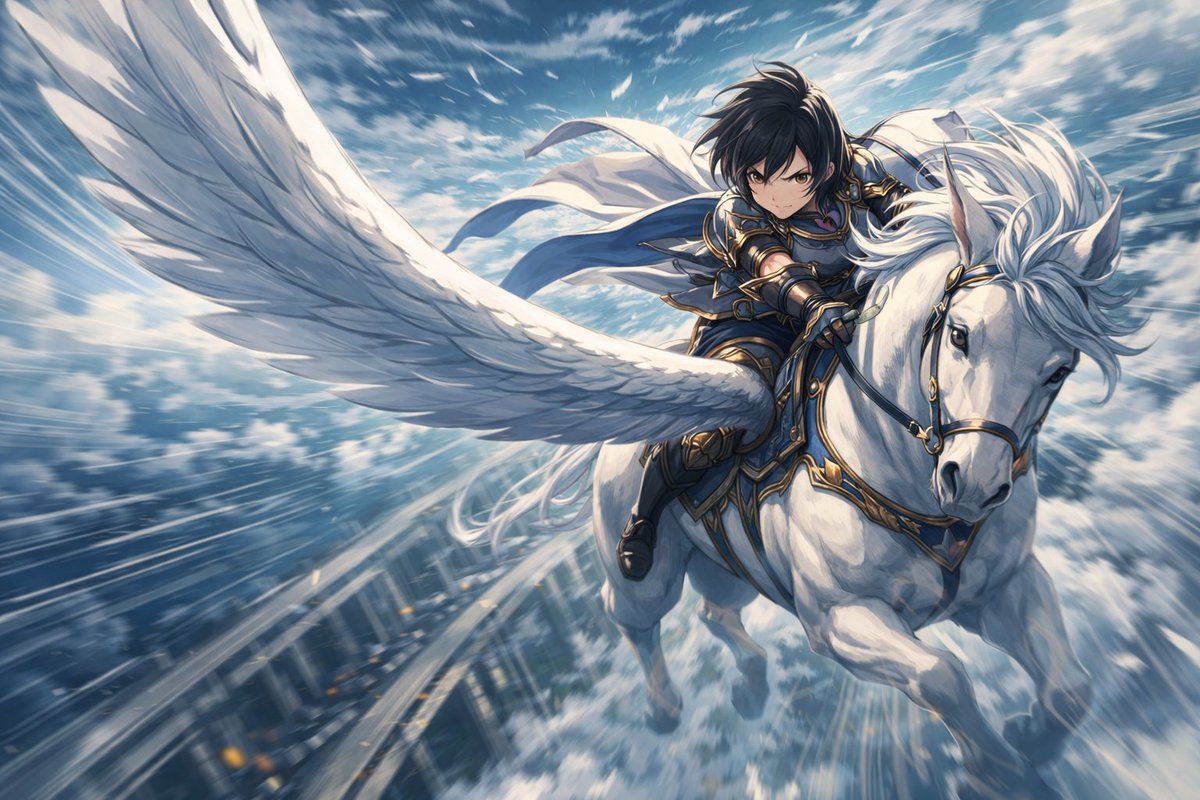
Utilizing the composition, background, and Pegasus from this image, generate a fantasy illustration of a character riding the Pegasus. Character: - A human character naturally riding the Pegasus. - Slightly leaning forward to maintain balance during flight. - Hands holding the reins or in a natural position suitable for riding. - Expression is cool and focused. Pegasus and Direction: - The Pegasus is flying at high speed. - The wings are powerful, conveying the motion of cutting through the wind. - Hair and clothing are flowing in the wind. Visual Representation: - High-quality anime-style illustration. - Cinematic expression with unified lighting, shadows, and color palette. - An aerial scene conveying speed and tension. Constraints: - Do not significantly alter the Pegasus design or the overall composition. - Do not add new characters or unnecessary elements. - Do not include text, logos, or watermarks. - Aspect ratio is 16:9

Cinematic 12-Panel Timeline of a Subject's Epic Day

Cinematic 12-Panel Timeline of a Subject's Epic Day

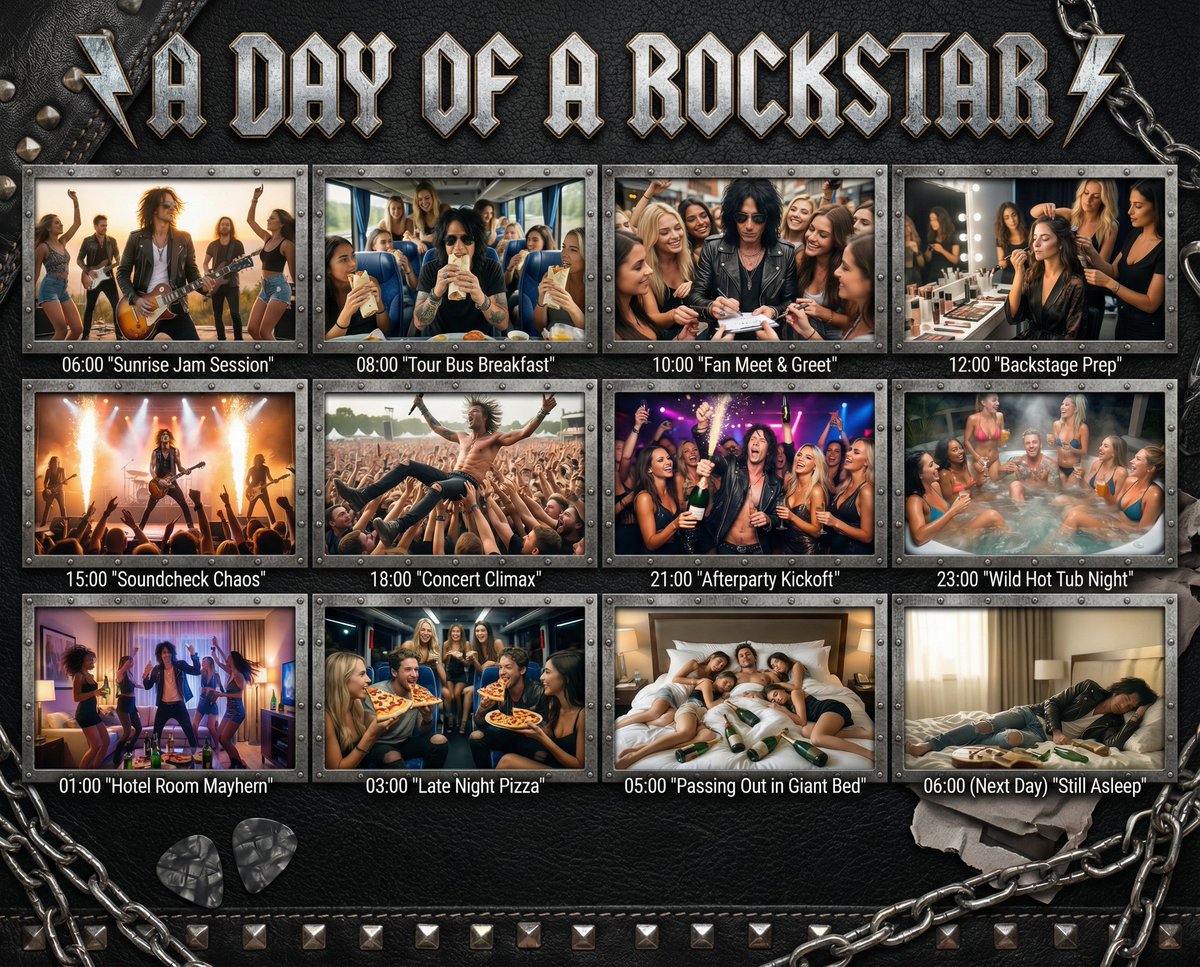
"In the Day of {argument name="subject" default="[SUBJECT]"}": Design a 12-panel (4x3) cinematic timeline capturing an epic, chaotic, or hilarious day in the life of {argument name="subject" default="[SUBJECT]"}. Add this title in a style that matches the subject to the top of the image. Each panel must be [PHOTOREALISTIC], large, and show: a timestamp (e.g. 06:00, 08:00...) a short, punchy caption in quotes (e.g. "Potion Mishap", "Midnight Bounty Run") a richly detailed, high-energy scene tailored to that moment of their day. The overall backdrop, panel frames, textures, and visual UI elements must match the subject’s universe — e.g., {argument name="theme example" default="leather + studs for rockstars"}, arcane scrolls for wizards, chrome HUD for cyborgs, jungle vines for pirates, etc. Panels are arranged in a grid or storyboard, with rugged or themed dividers. Final panel (06:00 next day) shows collapse, rest, or post-chaos resolution.

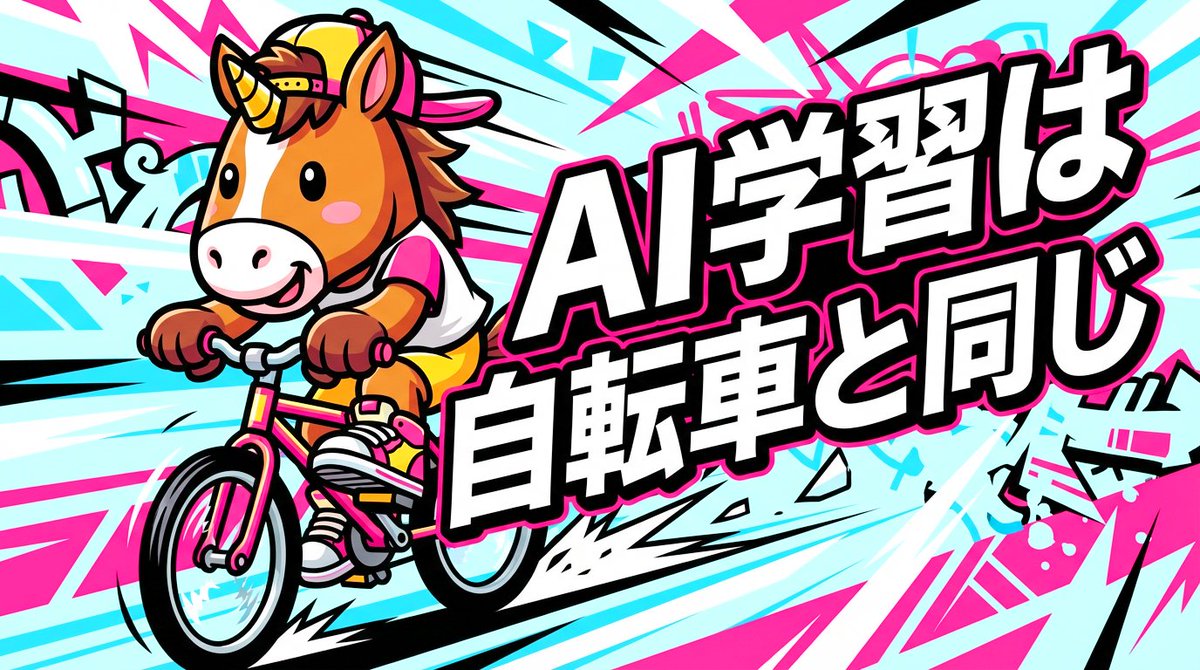
Nano Banana Pro Thumbnail Generation: Street & Pop Style

Nano Banana Pro Thumbnail Generation: Street & Pop Style

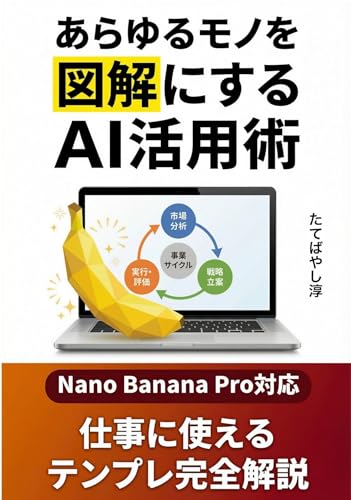
Nano Banana Pro Thumbnail Generation Theme: {argument name="Theme" default="Street & Pop"} Using a "{argument name="Style" default="Street Style"}" aesthetic, which is rarely seen online, can make it relatively stand out. By making the main character a {argument name="Main Character" default="Horse"}, it also attracts the interest of Japanese people who care about the Chinese zodiac.

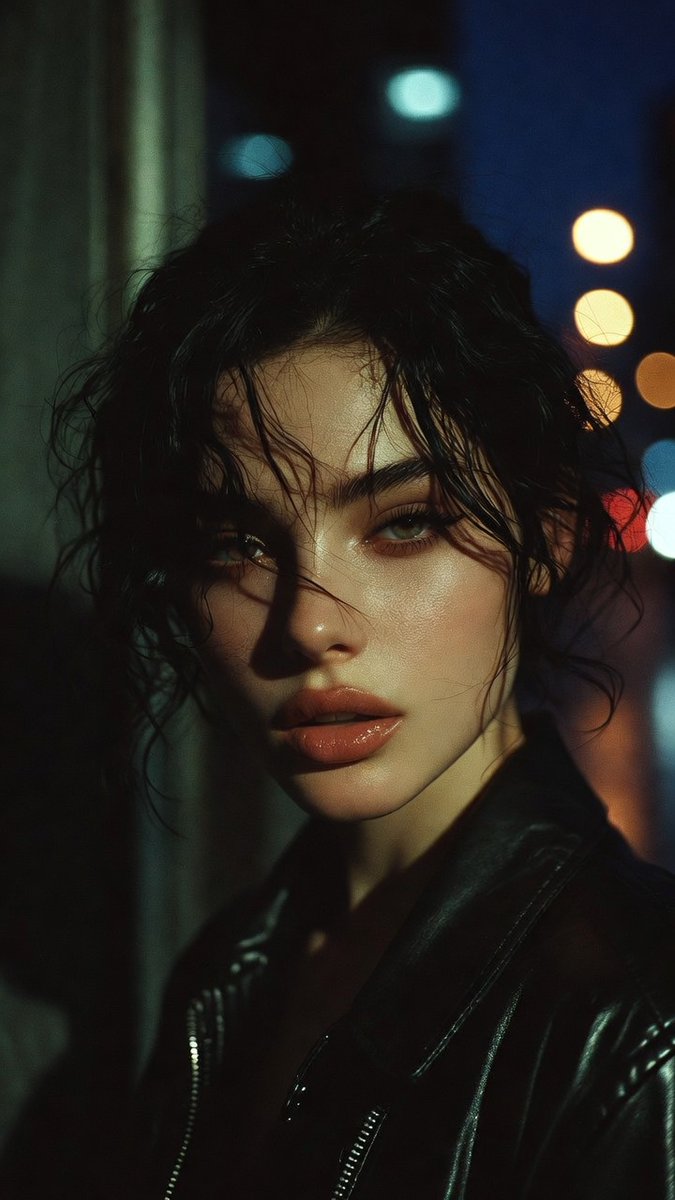
Moody Cinematic Portrait Prompt for AI Image Generation

Moody Cinematic Portrait Prompt for AI Image Generation

A moody cinematic portrait of a {argument name="subject" default="man"}, dramatic side lighting, high contrast, intense gaze, deep shadows, high detail, thriller aesthetic, {argument name="style" default="photorealistic"}, 8k

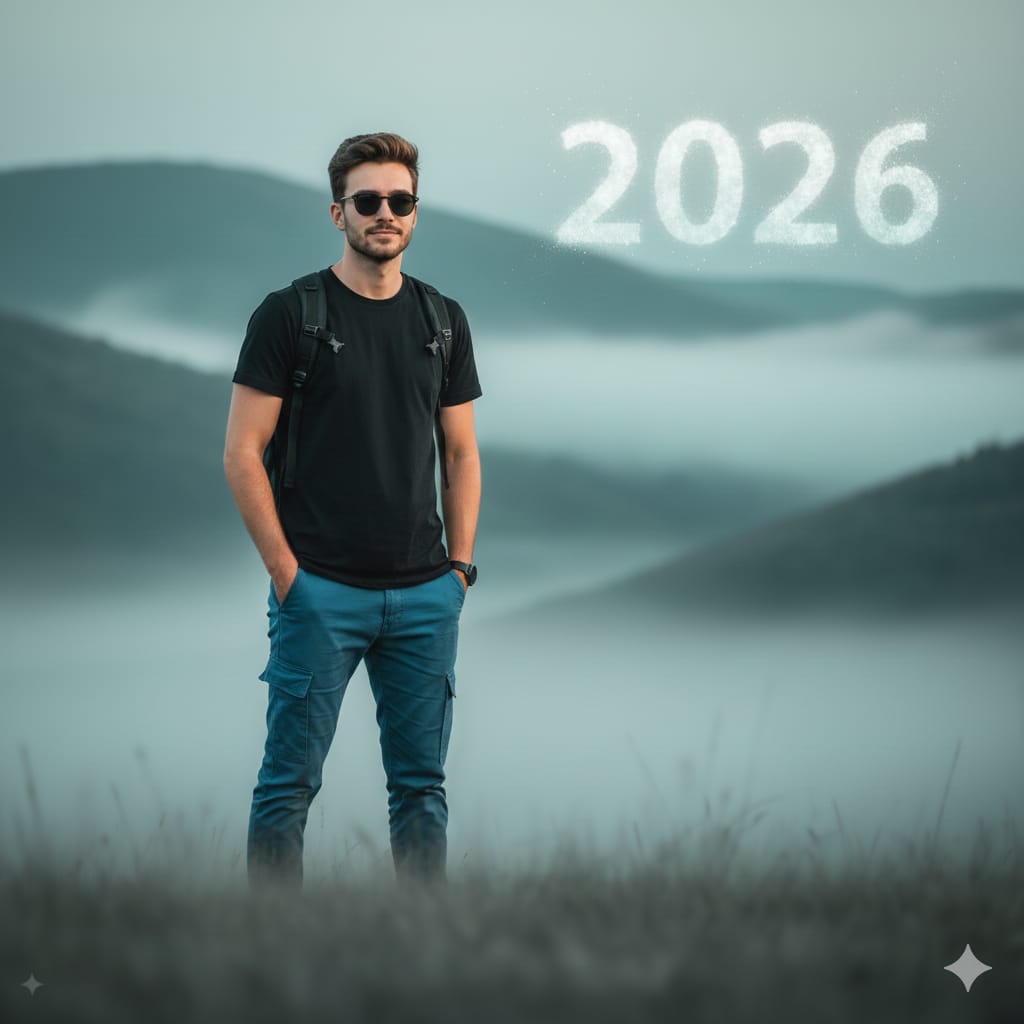
Cinematic Mountain Portrait with Floating Text

Cinematic Mountain Portrait with Floating Text

A realistic cinematic portrait of a confident young man standing in a misty mountain landscape, wearing a black t-shirt, blue cargo pants, sunglasses, and a backpack, hands in pockets, soft foggy atmosphere, muted {argument name="color grading" default="teal"} color grading, shallow depth of field, minimal aesthetic background with distant layered hills, the glowing text “{argument name="text content" default="2026"}” subtly floating in the sky, natural soft light, ultra-realistic photography, 85mm lens, high detail, calm futuristic mood.

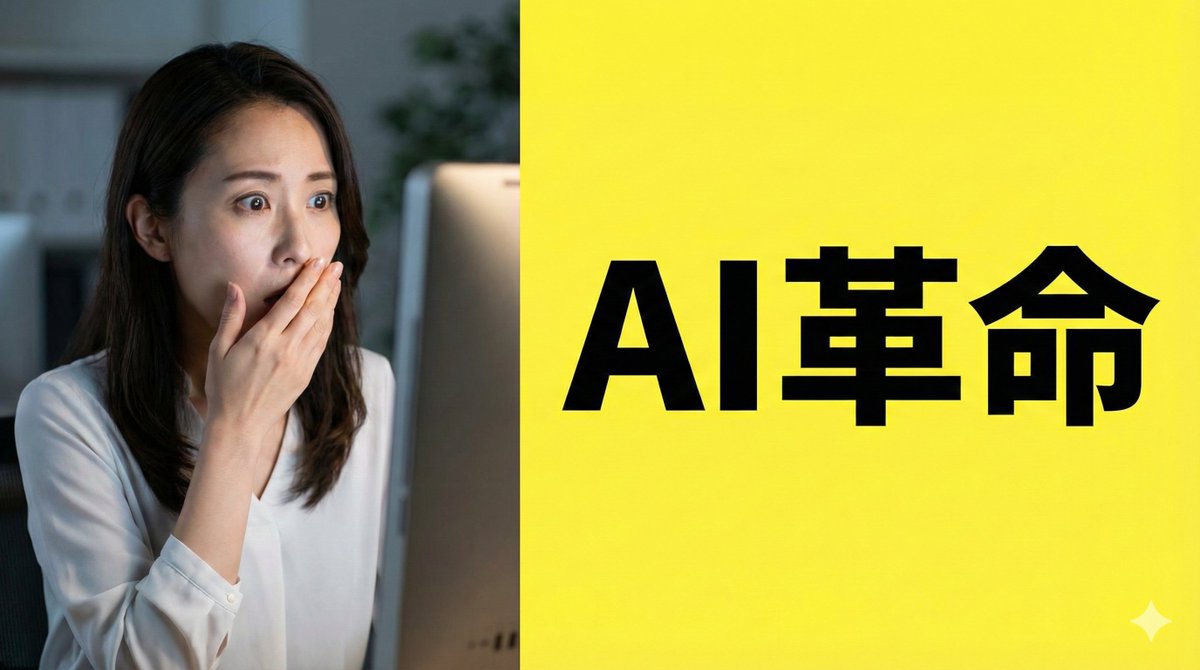
Nano Banana Pro Composition Techniques Prompts (3 Examples)

Nano Banana Pro Composition Techniques Prompts (3 Examples)

[Role] You are a professional graphic designer. Create a YouTube thumbnail. [Composition Instructions] - Split-screen composition, dividing the screen into left and right halves. - Left side: A Japanese woman with a surprised expression (photorealistic style). Background is a dark office. - Right side: A vibrant yellow background. Place the text “{argument name="text" default="AI Revolution"}” in bold Gothic font in the center. - Ensure sufficient negative space around the text to maximize visibility. [Style] A scene from an animated movie, cyberpunk [Camera and Composition Settings] - Lens: Use a wide-angle lens (24mm equivalent) to emphasize perspective. - Angle: Extreme low angle (worm's-eye view). The character is viewed looking up from just above the ground. - Placement: Place the character's left hand directly in front of the camera to exaggerate the sense of distance. - Background: High-rise buildings sharply converge toward a vanishing point. [Role] You are a manual creator. Create {argument name="subject" default="how to make Okonomiyaki"}. [Format] Flat design infographic, 16:9 [Layout Instructions] - A “3-step” process diagram flowing from left to right. - Step 1 (Left): Magnifying glass icon (Investigation). - Step 2 (Center): Gear icon (Processing). - Step 3 (Right): Light bulb icon (Solution). - Connect each element with arrows and align them at equal intervals. - Background is white, icons are unified in blue and orange key colors.

Jay Chou Blessing Image Integration Prompt

Jay Chou Blessing Image Integration Prompt

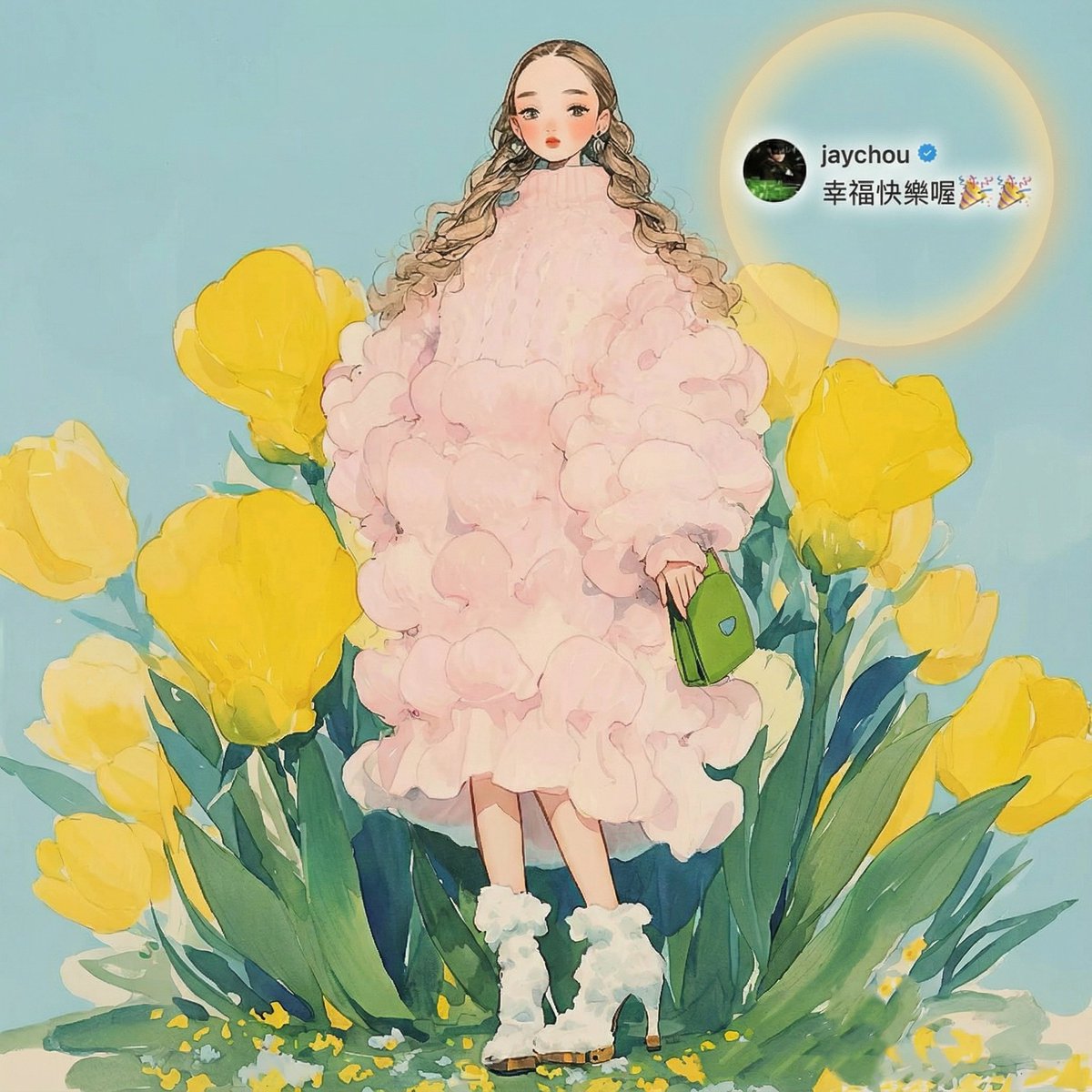
Redraw a high-quality, refined, and aesthetically pleasing cover image. Seamlessly and **completely integrate all Jay Chou–related information from Image 1 into Image 2**, placing it at a **small, delicate scale** and in a **well-balanced, appropriate position**, As if the blessing from Jay Chou were a **naturally integral part of Image 2’s composition**, with the blessing cleverly echoing the core visual elements of the main image and sharing a unified, consistent lighting design. The final cover should convey a **warm, beautiful atmosphere of blessing**. **Important:** Ensure the blessing text is **clear and highly readable**. When necessary, use tasteful techniques such as contrasting/inverted text colors, Gaussian-blurred backgrounds, or other elegant visual enhancements to improve legibility while maintaining visual harmony.

Nano Banana Pro Image Generation Prompt for MBTI Character Visualization

Nano Banana Pro Image Generation Prompt for MBTI Character Visualization

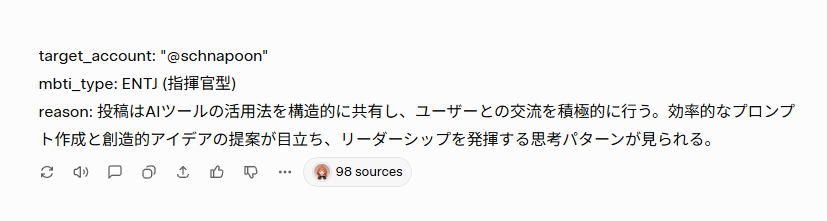
## 1. Input Variables (Rewrite this) Generate an illustration based on the following information. User Information: target_account: "{argument name="Account Name" default="@schnapoon"}" mbti_type: {argument name="MBTI Type" default="ENTJ (Commander)"} reason: "{argument name="Diagnosis Reason" default="Posts structurally share how to utilize AI tools and actively engage with users. Efficient prompt creation and creative idea proposals stand out, showing a leadership-oriented thought pattern."}" Character Setting (base_character_profile): Appearance: Anime-style girl. Brown medium hair, red eyes, slightly pointed teeth (giza-ba). ## 2. Generation Instructions A. Overall Image Composition (UI Layout) Generate a vertical 9:16 image. The background color is clean off-white (#F5F5F7). The screen is composed of the following elements from top to bottom: 1. Header Text: Place the text `target_account` + "'s diagnosis result is" at the top of the screen. Color: Dark gray (#333333), Font size: Medium, Alignment: Center. 2. Main Character Illustration: Important (Consistency): Maintain the "physical features (face, hair, body type)" and "basic clothing (innerwear, bottoms, etc.)" of the `base_character_profile` without alteration. Changes (Layering): Express the individuality of each type by "layering" the specified outerwear, mantle, and decorations from "B. MBTI Style Definitions" below over the basic clothing. Presentation: Draw specified effects and floating items around the character. Style: High-quality anime coloring. 3. MBTI Type Label: Place the `mbti_type` text largely directly below the illustration. Color: Theme color of each type definition. Font: Bold for high visibility. 4. Diagnosis Reason Text Box: Place a white, rounded-corner box (card-like design) at the bottom of the screen. Write the `reason` text in Japanese inside it. Text color: Gray (#555555), Left-aligned, readable size. B. MBTI Style Definitions (16 Types Layering Rules) Apply the style matching the input `mbti_type` and add the following items over the basic clothing: [Analysts - Purple/Dark Blue/Deep Red] INTJ (Architect): Layering: Black long coat or a chic jacket with a standing collar. Items: Chess pieces, hologram of blueprints. INTP (Logician): Layering: Lab coat (slightly disheveled), or a loose hoodie. Items: Flasks, floating mathematical formulas, gadget parts. ENTJ (Commander): Layering: Military-style Napoleon jacket, or a heavy mantle with a red lining. Items: Baton, crown-like decoration. ENTP (Debater): Layering: Unconventional design blazer, or a magician-like cape. Items: Microphone, smirking expression, jack-in-the-box effect. [Diplomats - Green/Gold/Pastel] INFJ (Advocate): Layering: Hooded robe, or a mystical shawl. Items: Lantern, staff, mystical light particles. INFP (Mediator): Layering: Oversized knit cardigan, or a forest-girl style poncho. Items: Flower crown, butterflies, books. ENFJ (Protagonist): Layering: Hero-like mantle, shining brooch or sash on the chest. Items: Holy sword (light-shaped), halo-like effect. ENFP (Campaigner): Layering: Colorful patchwork vest, or a flashy scarf. Items: Balloons, confetti, party goods. [Sentinels - Blue/White/Teal] ISTJ (Logistician): Layering: Neat navy blazer, armband. Items: Clipboard, glasses, neatly arranged documents. ISFJ (Defender): Layering: Clean apron, or medical coat/nurse uniform-style outerwear. Items: First aid kit, warm drink (tea, etc.). ESTJ (Executive): Layering: Formal suit jacket,

Youtube Thumbnail Concept: The New Weapon

Youtube Thumbnail Concept: The New Weapon

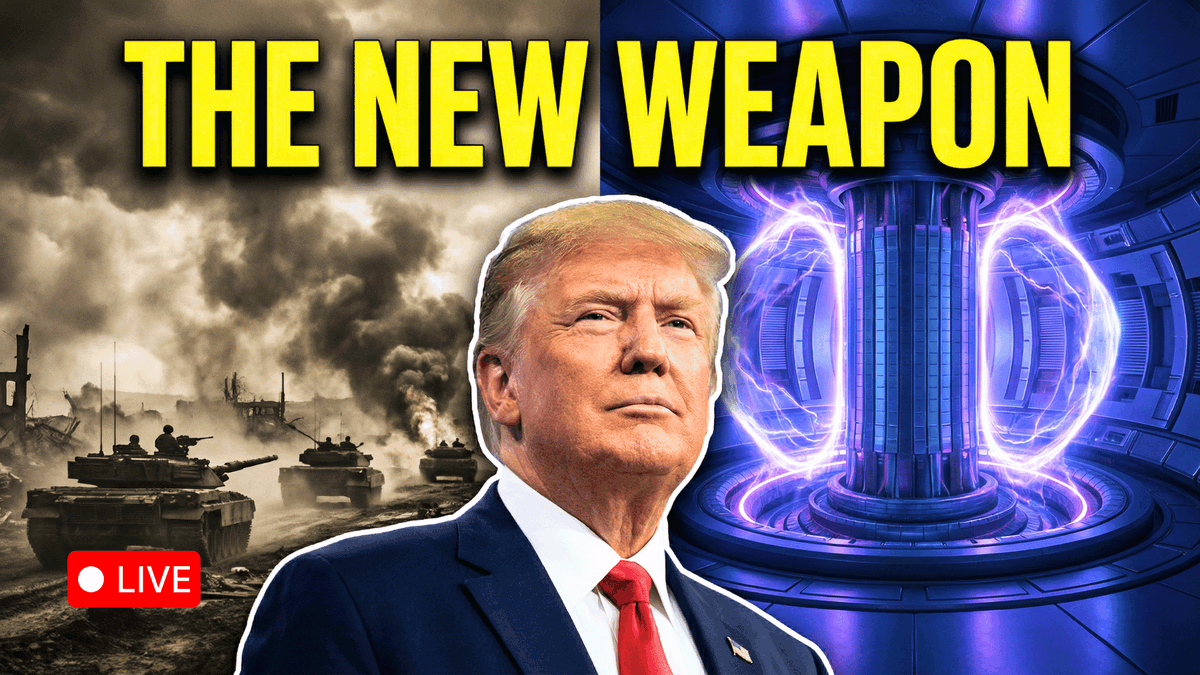
Youtube thumbnail Concept: Background (Split 50/50): Left Side (War): Grayscale or desaturated sepia tone. Shows a chaotic background of smoke or tanks. Right Side (Fusion): High-saturation, deep blues and glowing purples. Shows a futuristic tokamak reactor core. Subject: A large, shoulder up cutout of Trump placed dead center, acting as the divider between the two worlds. He should look confident/determined, facing slightly toward the "Fusion" side. Text (Top, full width): "{argument name="main text" default="THE NEW WEAPON"}" (in large, blocky #FFFF00 Yellow font). Note: Add a heavy black drop shadow or a dark gradient vignette at the very top to ensure the yellow text is readable against the glowing background."

Existential Cinematic Solitude Film Still

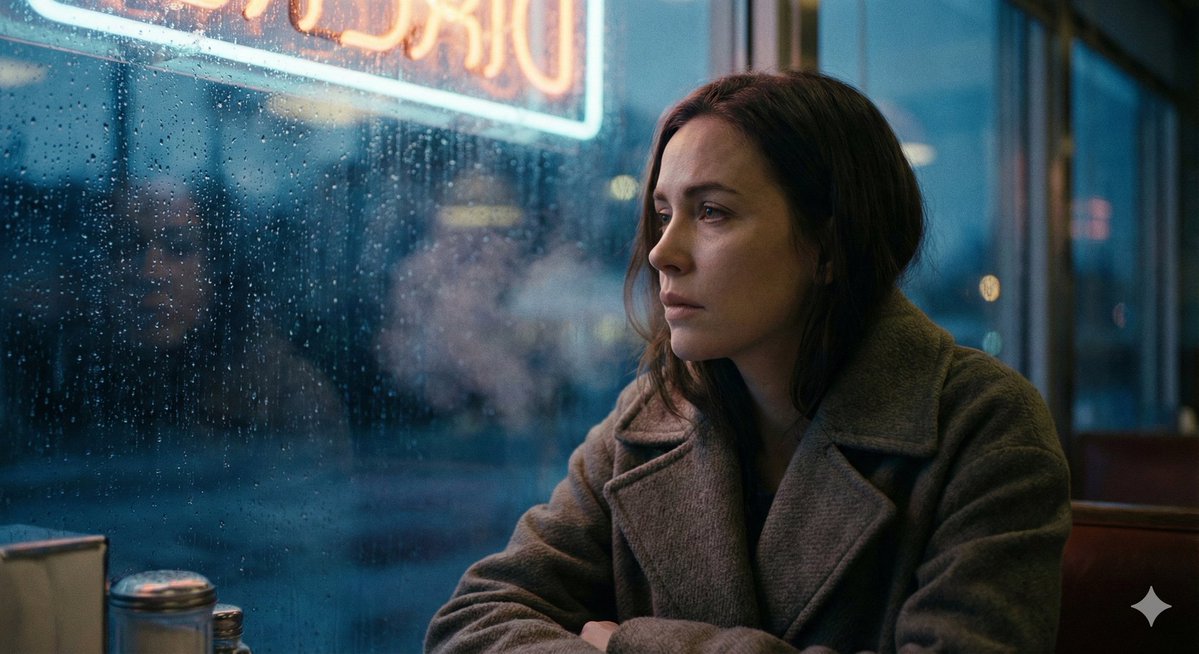
Existential Cinematic Solitude Film Still

[{argument name="subject" default="Subject"}], profound solitude captured in cinema, hyper-real film still drenched in emotional weight, cold blue hour lighting with dying warmth at the edges, rain-streaked glass creating liquid distortions, shallow depth of field emphasizing loneliness, muted desaturated palette with isolated color accents, slow-motion implied stillness, fine analog grain reminiscent of 1970s existential cinema, lens flares bleeding into darkness, ray-traced reflections in pooling water, breath visible in cold air, negative space dominating the frame, crushing atmospheric pressure, intimate yet distant camera positioning, Vilmos Zsigmond-inspired melancholic cinematography, the weight of unspoken grief.

Black and White Cinematic Motion Portrait

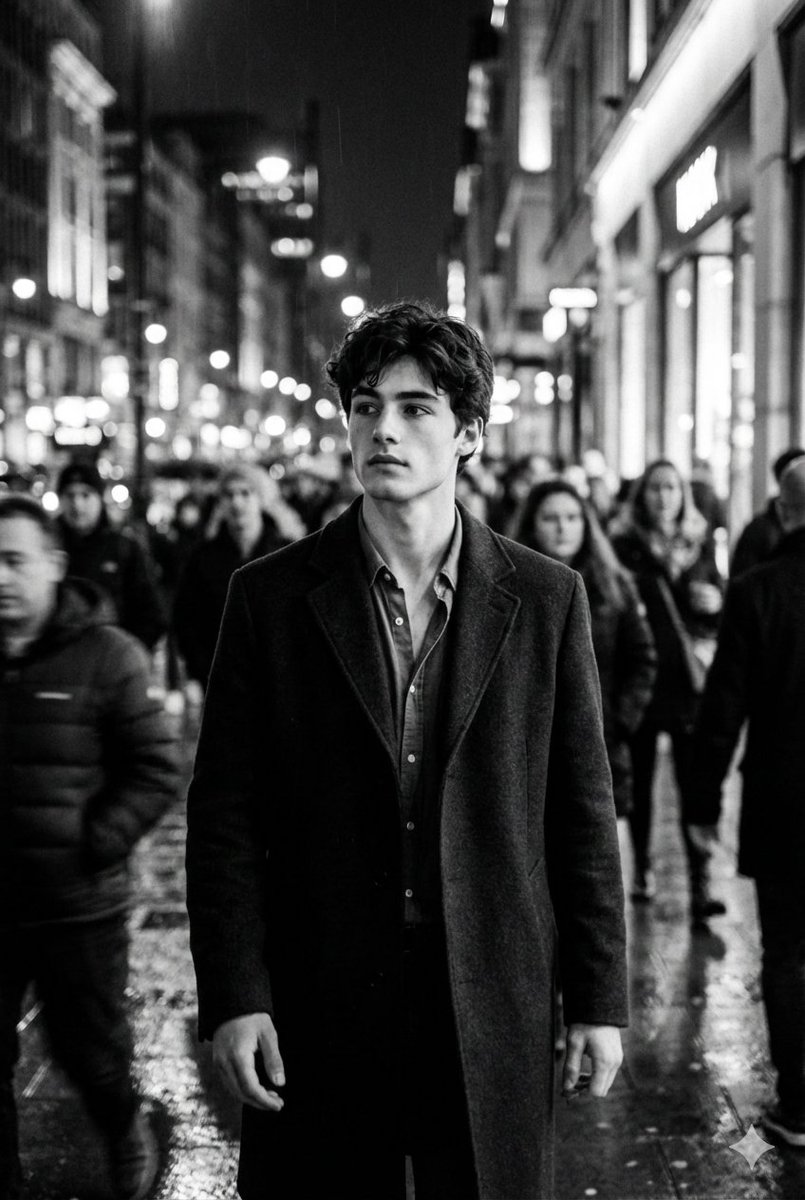
Black and White Cinematic Motion Portrait

Create an ultra-realistic black-and-white cinematic portrait of a young man walking through a busy night-time city - use face reference exactly. He remains sharply in focus while the crowd around him blurs into dynamic motion, creating a striking sense of isolation, depth, and introspection. Soft urban lights form abstract bokeh streaks behind him, enhancing the moody atmosphere. His expression is intense and thoughtful, hair slightly tousled, wearing a dark coat layered over a loosely unbuttoned shirt. High-contrast lighting, shallow depth of field, dramatic motion blur, film-noir aesthetic, and clean poster-style framing with crisp 8K realism.

Yakuza Portrait with Irezumi Tattoos

Yakuza Portrait with Irezumi Tattoos

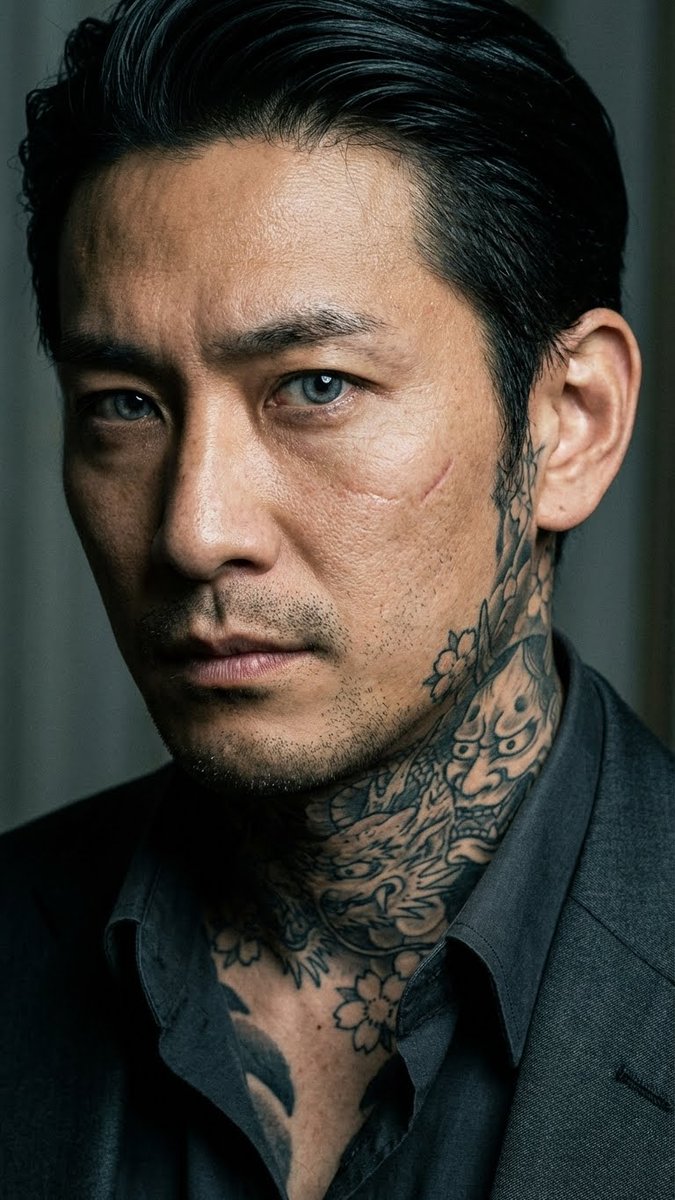
Extreme close-up intimate portrait of a Japanese yakuza member, late-30s man with intensely piercing cold eyes dominating the frame as the absolute focal point, subtle fierce and calculating expression, unblinking direct gaze into the camera conveying quiet danger and depth, highly detailed irises with sharp reflections, intricate traditional irezumi tattoos prominently visible on neck rising to jawline and partially on lower face/cheeks ({argument name="tattoo motifs" default="phoenix, crashing waves, cherry blossoms, dragon coils, and oni mask"} in vibrant classic tebori style), open collared dark suit revealing tattoo edges, slicked-back black hair, subtle facial scar on cheek, realistic pores and skin texture, dramatic low-key cinematic lighting with rim light highlighting eyes and tattoos, moody tense atmosphere, photorealistic, ultra-detailed

Nano Banana Pro Banner Creation Prompt

Nano Banana Pro Banner Creation Prompt

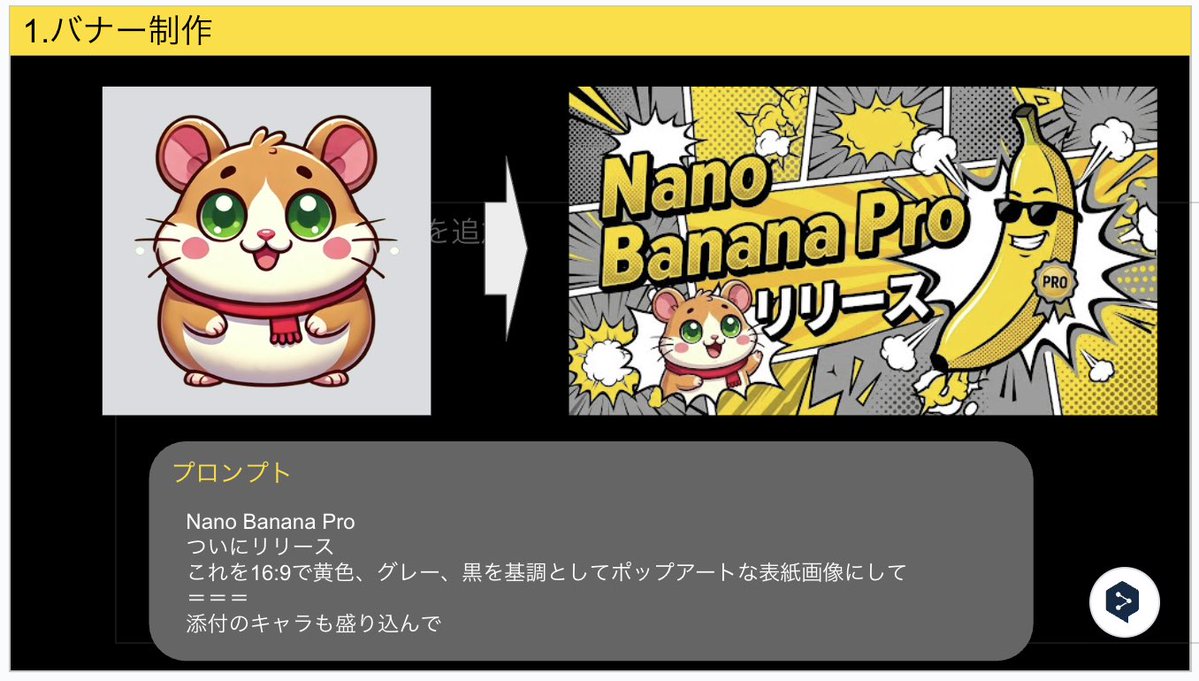
Nano Banana Pro Finally released Turn this into a pop art cover image with a 16:9 aspect ratio, based on yellow, gray, and black, and include the attached character.

Product Ad: White Monster Energy Can Submerged in Water

Product Ad: White Monster Energy Can Submerged in Water

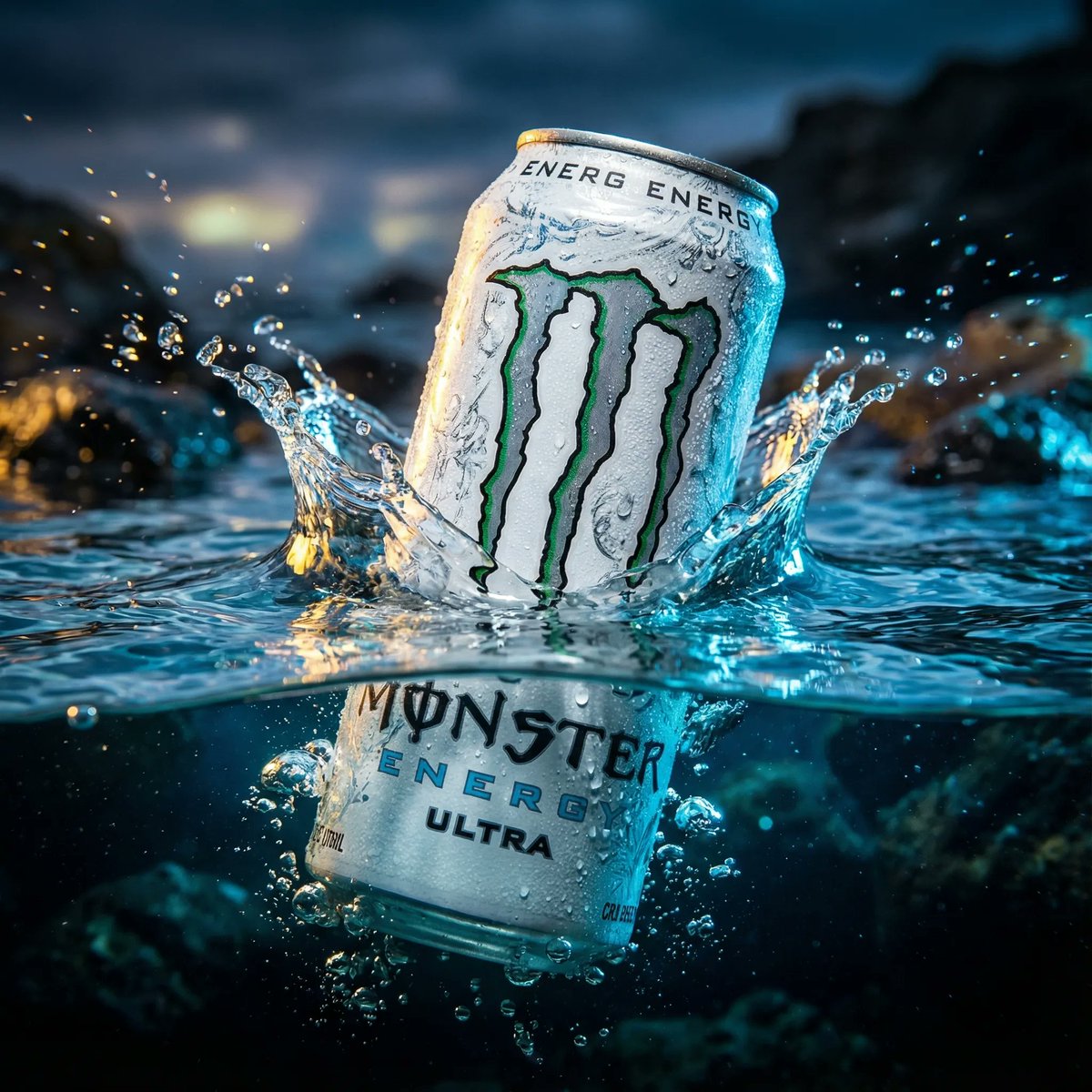
cinematic, ultra realistic, aesthetic wallpaper style image of a White Monster Energy Ultra can dramatically half submerged in crystal clear water with insane sharp details, wild lighting reflections, and intense emotional energy, the top half of the can emerging powerfully above the water while the bottom half sinks beneath the transparent ripples, water splashing with dramatic motion, cold frosty condensation on the can, vibrant high contrast colors, epic viral clickbait mood, ragebait intensity, insane hype energy, breathtaking composition, deeply atmospheric lighting, shallow depth of field, hyper detailed textures, premium advertising look, photorealistic, 8k resolution, cinematic framing, highly polished commercial visual, bold dramatic vibe, visually shocking and attention grabbing, perfect for viral wallpaper

Noir Detective Evidence Board Visualization

Noir Detective Evidence Board Visualization

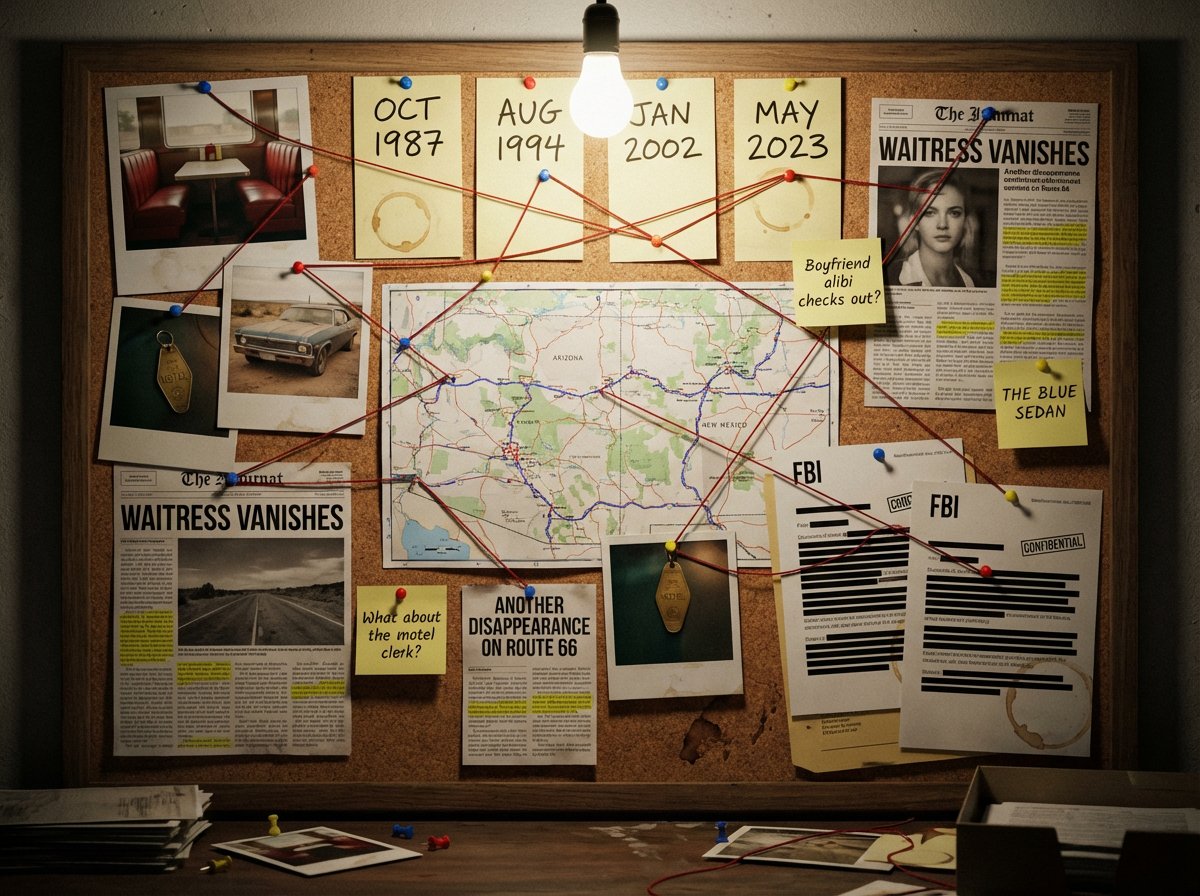
A detective's evidence board investigating {argument name="subject or mystery" default="[SUBJECT/MYSTERY]"}. Cork surface covered with pinned items: polaroid photographs with handwritten dates, a street map with circled locations, newspaper clippings with highlighted passages, sticky notes with theories and question marks, and printed documents with redacted black bars. Red string connects related evidence across the board, creating a web of connections. Thumbtacks in primary colors. A single bare bulb casts dramatic shadows. Coffee ring stains on some papers. The atmosphere is obsessive, late-night, noir—someone has been piecing this together for months. A few pins have fallen, suggesting frantic recent activity.

Santa's Switch Prank Multi-Angle Grid

Santa's Switch Prank Multi-Angle Grid

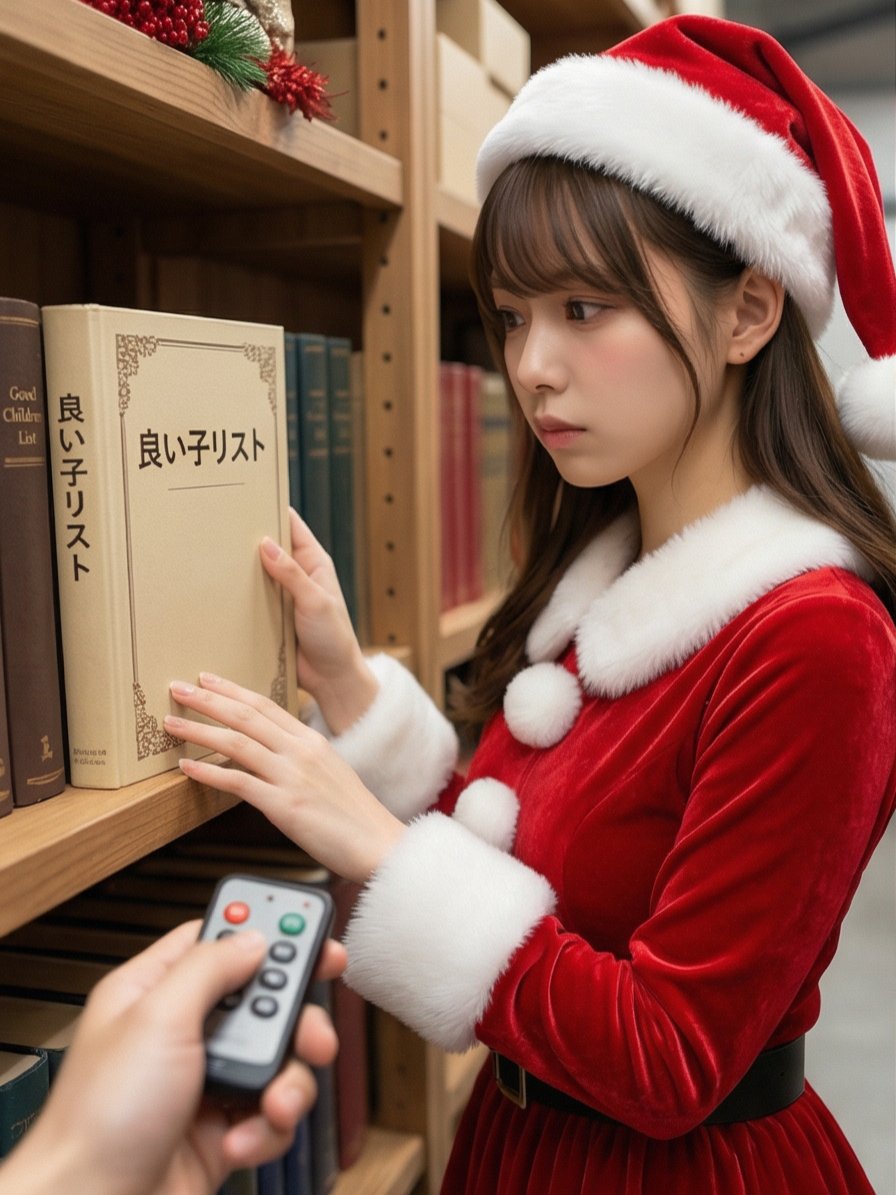
Read the motifs depicted in the attached image, generate multi-angle shots, and create four scenes divided into a 2x2 grid. 【Action 1】 Santa Claus, with a serious expression, is looking at documents (thick books) on a bookshelf in a Christmas-decorated warehouse. The book title is left to the AI's interpretation in a way that suggests a story. The photographer presses a button on a remote control in their hand, making a unique 'Pikoon!' electronic sound or a cute chime sound. 【Dialogue 1】 Santa jumps in surprise and immediately turns toward the camera (photographer). While shaking his white beard, he says a word or phrase that is slightly embarrassed yet playful (left to the AI's interpretation in a way that suggests a story). 【Action 2】 The photographer grins and immediately presses the 'Pikoon!' electronic sound again. 【Action 3】 Santa looks down shyly with an expression of "Oh, come on!" He curls his large body and squats momentarily in a "moe-costume" (instead of moe-sleeves), then stands up, laughs heartily, and covers his face with red gloves to hide his embarrassment. Caption: "{argument name="caption" default="I pressed the switch on Santa preparing in the warehouse 🎅✨"}" Two hashtags. The content of the hashtags is left to the AI's interpretation in a way that suggests a story.

Hyper-Realistic Urban Night Portrait with UI Overlay

Hyper-Realistic Urban Night Portrait with UI Overlay

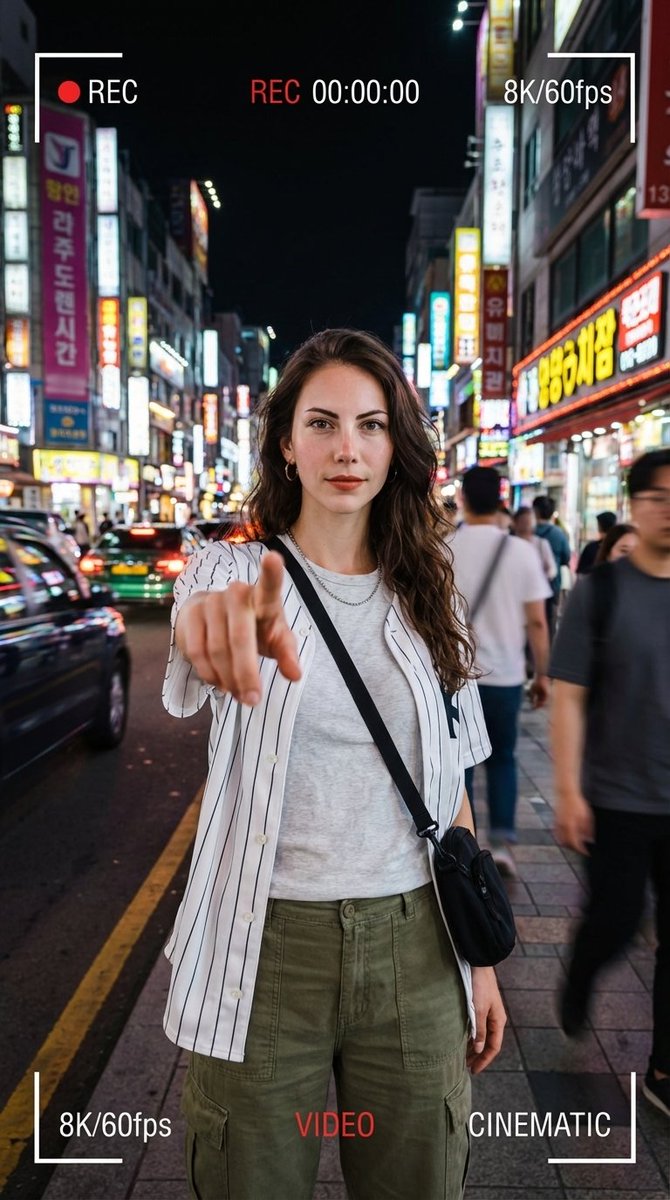
{ "request_id": "portrait_neon_urban_001", "configuration": { "model": "v6.0_or_latest", "output_settings": { "dimensions": { "width": 1080, "height": 1920, "aspect_ratio": "9:16", "target_resolution": "64K DSLR" } } }, "scene_composition": { "subject": { "entity": "Young woman", "pose": "Standing confidently", "action": "Extending index finger forward toward camera lens", "interaction": "Dynamic gesture / POV interaction", "wardrobe": { "outerwear": "White striped baseball-style shirt", "undergarment": "Light inner shirt", "bottoms": "Cargo pants", "accessories": [ "Necklace", "Crossbody bag" ] } }, "environment": { "location": "Urban street", "time_of_day": "Night", "ambience": "Neon-lit", "background_elements": [ "Colorful city lights", "Blurred passersby" ] }, "cinematography": { "camera": { "perspective": "Wide-angle", "depth_of_field": "Soft bokeh", "motion": "Slight motion blur" }, "lighting": { "style": "Cinematic", "primary_sources": ["Neon street lights", "City glow"] }, "ui_overlay": { "enabled": true, "aesthetic": "Smartphone video recording", "on_screen_elements": [ "REC 00:00:00", "8K/60fps", "Frame brackets", "VIDEO indicator", "CINEMATIC indicator" ] } } }, "technical_rendering": { "style": "Hyper-realistic", "engines": [ "Octane Render", "Unreal Engine 5" ] }, "negative_prompt": { "stylistic_exclusions": [ "cartoon", "illustration", "anime" ], "quality_exclusions": [ "low quality", "pixelated", "blurry" ], "anatomical_exclusions": [ "bad anatomy", "deformed hands", "extra fingers", "missing limbs", "bad proportions" ], "branding_exclusions": [ "watermark (except for requested UI overlays)" ] } }

Smartphone Screen Illusion Portrait Template

Smartphone Screen Illusion Portrait Template

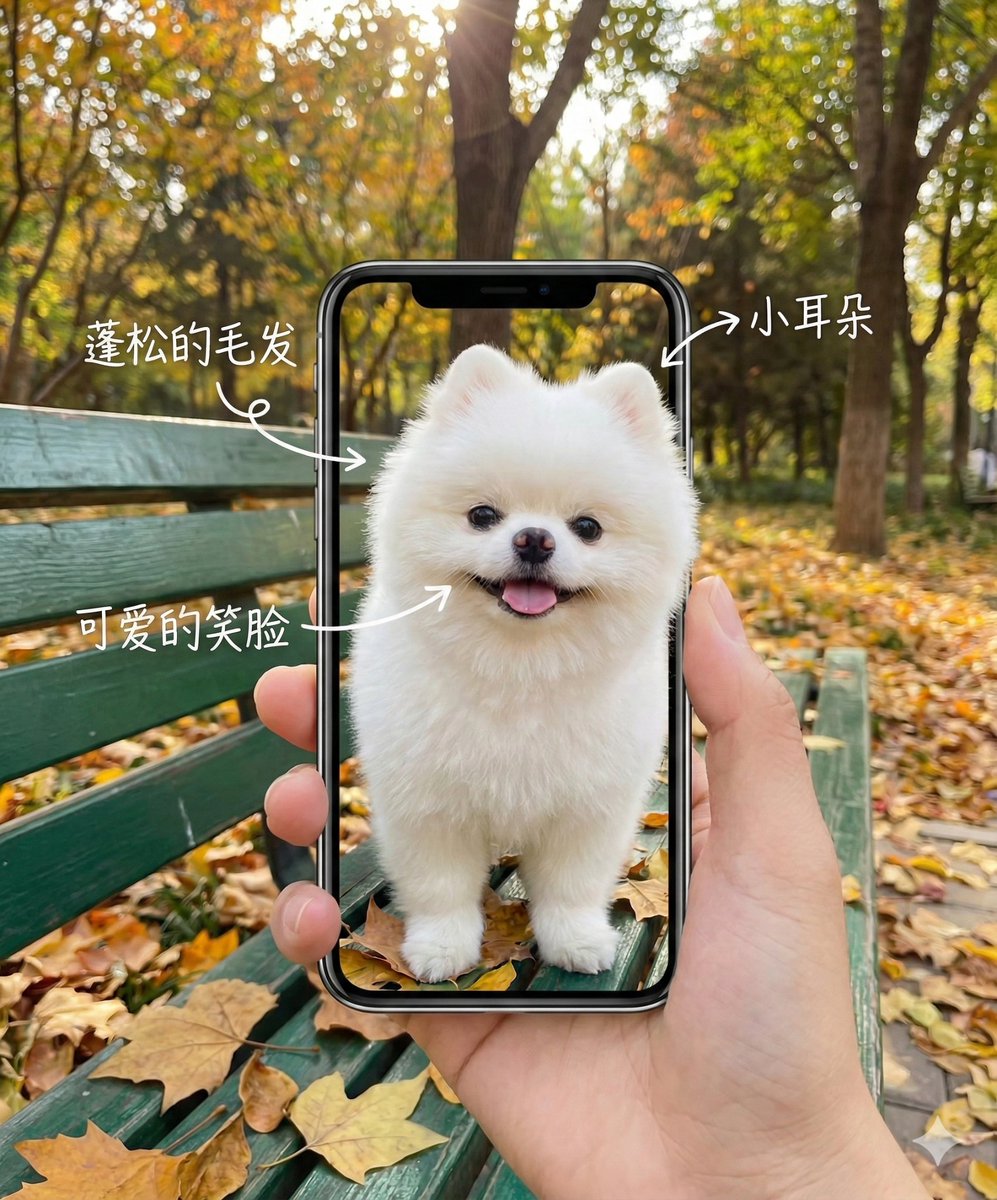
A hand holding a smartphone, with an autumn park featuring fallen leaves and a green bench in the background. The smartphone screen displays a vivid photo of the **{argument name="subject" default="theme character"}**. The background landscape inside the phone screen is perfectly aligned with the real, blurred background behind the phone, creating an illusion of transparency. White handwritten text annotations and arrows are drawn on the screen, pointing to the features of the **{argument name="subject feature" default="subject"}**. Soft natural light, photorealistic, 4k resolution, high detail, creative social media photography style. 3D pop-up effect: the upper body emerges from the screen, while the lower body remains within the user interface. The image of the **{argument name="subject" default="theme character"}** is as shown, retaining facial and external features without any changes.

Air France ad fix prompt

Air France ad fix prompt

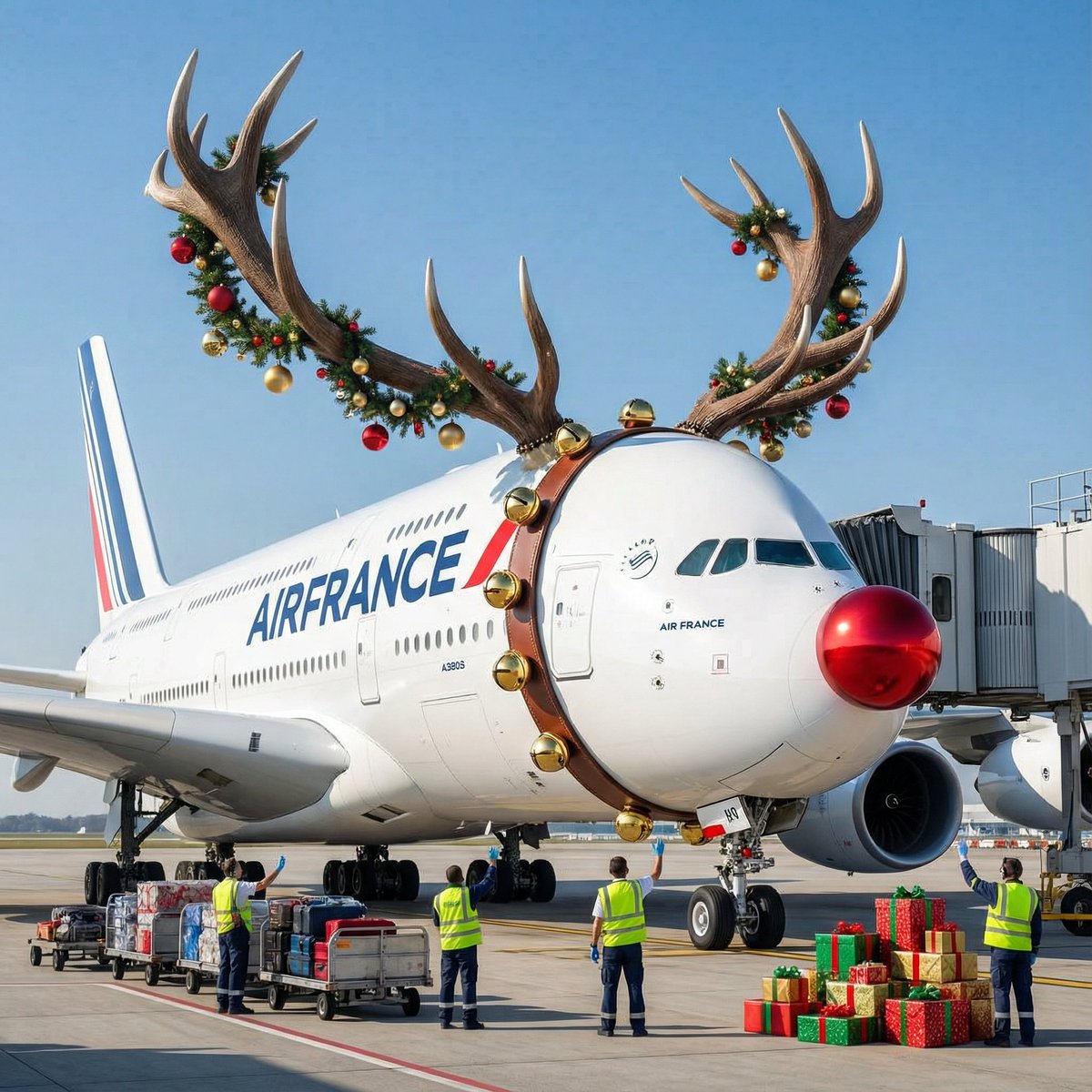
Air France A380 flying over Paris at night, futuristic neon lights, cinematic, dramatic lighting, high detail, 8k, photorealistic, wide shot, {argument name="style" default="cyberpunk"}, unreal engine, octane render, volumetric lighting, deep shadows, {argument name="color scheme" default="blue and orange"}, high contrast, sharp focus, {argument name="mood" default="epic"}

Resort Workcation Eyecatch Prompt (YAML Structure)

Resort Workcation Eyecatch Prompt (YAML Structure)

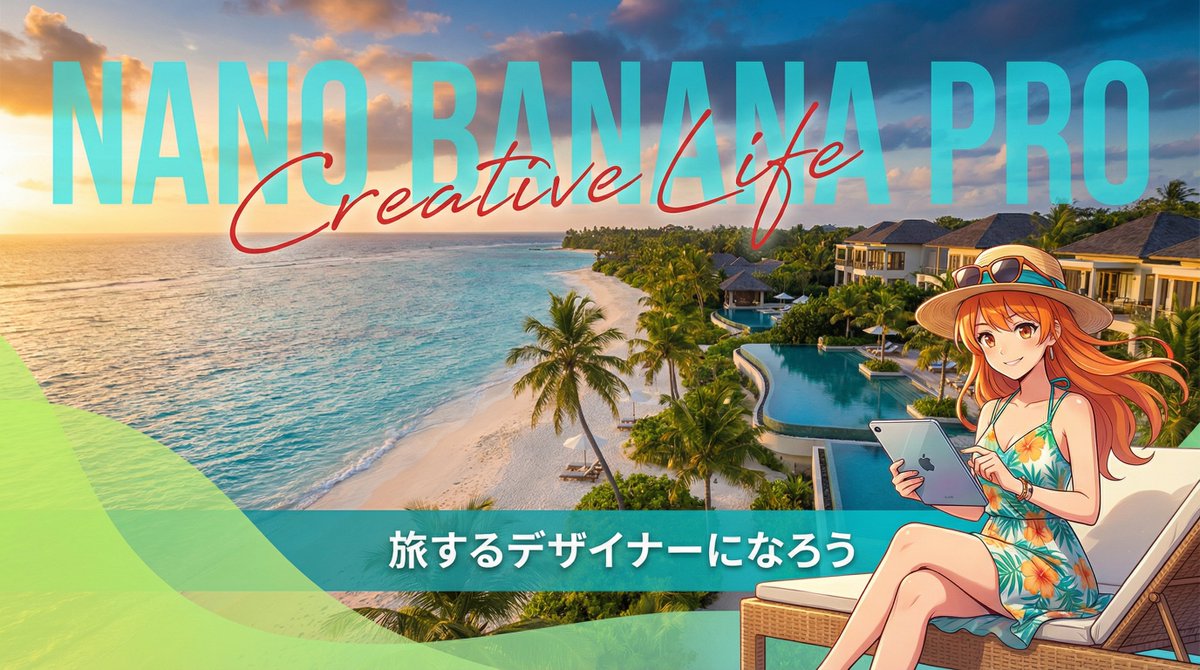
metadata: title: "Nano Banana Pro Design Course Eyecatch - Resort Workcation Style" model_context: "Luxury Resort Advertisement mixed with Digital Nomad Anime aesthetics" image_structure: composition_type: "Scenic Wide Shot + Integrated Typography + Character Overlay" visual_flow: "Background Scenery -> Huge Text -> Character Details" layers: layer_background: shape: "Full screen background." content: "Photoreal, Breathtaking tropical beach resort at golden hour (sunset/sunrise)." details: elements: "Turquoise ocean, white sandy beach, palm trees swaying, luxury hotel buildings in the distance." atmosphere: "Relaxing, luxurious, open, and inspiring." lighting: "Warm golden sunlight mixed with tropical blue shadows." layer_typography_integrated: location: "Center to Left side, integrated into the sky and horizon." elements: - type: "Background Big Text" text: "{argument name="large background text" default="Nano Banana Pro"}" style: "Massive, semi-transparent sans-serif font standing behind the hotel/trees or blending with the clouds. White or Cyan color." - type: "Overlay Script Text" text: "{argument name="overlay script text" default="Creative Life"}" style: "Elegant, red or dark pink handwritten script font overlaying the big text. Adds a luxury touch." - type: "Bottom Banner Text" text: "{argument name="bottom banner text" default="Let's become a traveling designer"}" style: "Clean sans-serif text in a solid bar at the bottom or floating with a shadow." layer_character_foreground: location: "Right side or Bottom-Right." content: "Japanese Kawaii Anime Girl enjoying workcation." style: "2D Cel-shaded anime art, vibrant and cute." details: subject: "A cute anime girl in resort fashion." appearance: hair: "Bright color (like orange or blonde) swaying in the sea breeze." clothing: "Tropical sundress, straw hat, sunglasses on head." props: "Holding a high-tech tablet or laptop, smiling confidently." pose: "Relaxed but productive pose, maybe sitting on a deck chair or standing on the beach." layer_graphic_overlay: location: "Bottom Left corner." shape: "Abstract wave or curve shape (similar to reference)." color: "Translucent Lime Green or Teal gradient." purpose: "Adds a modern graphic design element to frame the text." style_and_tone: art_style: "Travel Magazine Cover Aesthetic" color_palette: primary: "Turquoise, Golden Orange, White" secondary: "Lime Green (Accent), Pink (Script text)" quality_tags: - "Best quality" - "Scenery focus" - "Cinematic lighting" - "Detailed water" - "Anime key visual"

Some prompts are collected from creators on X. Copyright belongs to the original authors.