Kenerate AI

Prompt Library

AI Prompt Library

Curated image, video and web design prompts from creators around the world. Copy any prompt, swap the subject or style, and generate with the latest models.

15,630 prompts · Updated daily · 100% free

126 prompts

Comic / Storyboard - The Last Train Home cinematic scene
GPT Image 2

Comic / Storyboard - The Last Train Home cinematic scene

{ "title": "The Last Train Home", "image_description": "A breathtaking cinematic scene at an {argument name=\"location\" default=\"abandoned train station lost in the mountains\"}. Thick fog rolls across the empty platform. Vintage lamps cast warm golden light through the mist. A lone traveler wearing a dark wool coat stands beside an old leather suitcase. An ancient train slowly emerges from the fog. Every window glows softly. Snow falls silently around the station. Above the platform hangs a weathered sign that reads: HOME. The traveler's eyes fill with emotion as he realizes the train should not exist.", "story_element": { "twist": "The train only appears once, exactly one hour before a person dies." }, "environment": { "location": "Forgotten mountain railway station", "weather": "Snowfall and dense fog", "time": "Midnight" }, "cinematography": { "shot_type": "Wide cinematic shot", "camera": "ARRI Alexa 65", "lens": "50mm anamorphic", "composition": "Symmetrical storytelling frame" }, "lighting": { "type": "Warm vintage lamps mixed with cold moonlight", "effects": [ "Volumetric fog", "Snow particles", "Atmospheric glow" ] }, "mood": [ "Emotional", "Mysterious", "Bittersweet", "Nostalgic" ], "quality": { "style": "Award-winning cinematic masterpiece", "realism": "Ultra photorealistic", "resolution": "8K", "IMAX_quality": true, "film_grain": true } }

@Compound Learning - Tech | Science
Comic / Storyboard - Undead Vampire King Throne
GPT Image 2

Comic / Storyboard - Undead Vampire King Throne

Create an ultra-detailed dark fantasy gothic illustration of {argument name="character name" default="an undead vampire king"} enthroned inside a ruined cathedral throne room. The central figure is a pale, corpse-like monarch with long flowing {argument name="hair color" default="white hair"}, glowing red eyes, blood running from the mouth, and a jagged black crown. He wears ornate blackened armor covered in skulls, spikes, chains, red jewels, and torn crimson-black royal robes. He sits arrogantly on a skull-encrusted stone throne, one hand resting on the armrest and the other gripping a long ceremonial sword with a skull pommel, gothic crossguard, red gem, and pale blade. Surround him with exactly 9 clearly visible supernatural figures or creatures: 1 large translucent ghostly warrior hovering behind him with a sword, 1 smaller floating ghost near the moonlit archway, 4 misty human spirits on the stairs and balcony in the midground, 2 armored spectral soldiers at the lower right holding weapons, and 1 snarling ghost wolf in the lower left foreground. Set the scene in a vast black stone cathedral with broken pointed arches, towering columns, candles, chains, cracked steps, skulls, and tattered red banners. Include exactly 3 readable banner or stone inscriptions: left hanging banner says {argument name="left banner text" default="BLOOD BEYOND DEATH"}, right hanging banner says {argument name="right banner text" default="KINGS DIE BUT LEGENDS HAUNT FOREVER"}, and the stone block near the lower left says {argument name="stone inscription" default="SWORDS REMEMBER WHAT MEN FORGET"}. Through the huge archway, show a distant spired gothic castle, an arched bridge, flying bats, storm clouds, cold mist, and a huge crimson blood moon. Use cinematic low-angle composition, hyperreal digital painting, intricate concept-art detail, cold blue-gray fog contrasted with deep crimson accents, dramatic moonlight, candle glow, volumetric mist, sharp armor highlights, macabre regal atmosphere, no modern objects, no cartoon style.

@Lee Penkman
Comic / Storyboard - Hand-drawn travel journal illustration
GPT Image 2

Comic / Storyboard - Hand-drawn travel journal illustration

Transform the reference photograph into a delicate {argument name="style" default="hand-drawn travel journal illustration"} while preserving the original composition, architecture, people, trees, grass, road, and overall perspective. Use a traditional colored-pencil and watercolor sketch aesthetic on warm, slightly aged cream paper. Keep the buildings recognizable but simplify them into expressive hand-drawn shapes, with visible pencil strokes, loose watercolor washes, subtle paper grain, imperfect outlines, and gentle cross-hatching. Preserve the peaceful {argument name="atmosphere" default="rainy-day"} atmosphere, soft overcast sky, warm beige and muted buildings, fresh green lawn, scattered people walking with umbrellas, wet pavement, trees, benches, puddles, and distant cars. Use a muted vintage travel-sketch palette with natural imperfections and understated colors. Place the illustration in the lower portion of the page with generous cream-colored negative space around it. Add elegant handwritten typography above: ‘{argument name="heading" default="Rainy Days"}’, and below: — Quiet moments —. Minimal, nostalgic, artistic travel magazine aesthetic, analog photography transformed into a personal sketchbook memory, sophisticated and authentic, no photorealism.

@Selina
Comic / Storyboard - Cloud Friend Scrapbook Poster
GPT Image 2

Comic / Storyboard - Cloud Friend Scrapbook Poster

Goal: Create a whimsical two-part aesthetic poster about a cute cloud character, combining a real-sky photo scene on top with a hand-drawn scrapbook guide below. Canvas: Vertical 3:4 poster. The top half is a realistic outdoor sky photograph; the bottom half is a cream paper illustration panel with a soft grainy texture. Top scene: A bright blue daytime sky with a few small white clouds. In the center, one fluffy white cloud is turned into a friendly character using simple black graphic features: exactly 2 dot eyes, 1 curved smiling mouth, and 2 raised bone-like arms angled upward from the left and right sides. The mood is light, airy, relaxed, and childlike. Use natural sunlight and keep the sky spacious. Bottom panel title: Handwritten title centered near the top: {argument name="title text" default="Cloud Friend"}. Add a small blue star to the left, a red heart to the right, tiny blue sparkles, and a wavy blue underline beneath the title. Bottom layout: Arrange exactly 9 small illustrated vignettes in a loose 3-by-3 grid, each with a handwritten numbered caption underneath. The style should look like colored pencil, crayon, and ink on warm off-white paper. Nine vignettes and captions: 1. “hello!” — a small smiling cloud character inside a rough blue scribble patch, with two black arms and a tiny red heart. 2. “happy face” — a simple face made of 2 black dot eyes, 1 black smile, and 2 soft pink blush circles. 3. “arms up” — two separate black bone-like arms raised like a cheering gesture, with small blue motion marks and a red doodle accent. 4. “very blue” — a rounded rectangle of textured blue crayon sky containing exactly 2 small white clouds. 5. “soft & fluffy” — a pale gray pencil sketch of one fluffy cloud outline, with a small red heart. 6. “warm sun” — a yellow-orange circular sun with short radiating rays. 7. “gentle breeze” — light blue flowing wind lines with a small swirl and red doodle accent. 8. “daydream view” — a tiny simple landscape with exactly 2 green trees, a green ground line, and a small red-roof house outline. 9. “good mood” — a cheerful doodle cluster containing 1 blue star, 1 pink heart, 1 mint green cloud, small dots, and red accent lines. Footer text: Centered along the bottom in small handwritten lettering: {argument name="footer quote" default="Look up. Little joys are floating around."} followed by a small red heart and blue dots. Visual style: Mix realistic photography in the top half with naive hand-drawn journaling in the bottom half. Use soft blue, cream, black, pastel pink, yellow, mint, and red accents. Keep all text handwritten, imperfect, casual, and charming. Constraints: Preserve the exact two-panel composition, the exact count of 9 numbered vignettes, and the friendly minimalist cloud face. Avoid extra characters, logos, watermarks, or dense text.

@小小东
Comic / Storyboard - Museum of Lost Tomorrows conceptual scene
GPT Image 2

Comic / Storyboard - Museum of Lost Tomorrows conceptual scene

{ "title": "The Museum of Lost Tomorrows", "image_description": "A vast {argument name=\"location\" default=\"underground museum hidden beneath a forgotten city\"}. The architecture is breathtaking, with endless marble hallways illuminated by warm golden light filtering through giant glass ceilings. Thousands of glass display cases stretch endlessly into the distance. Inside each case is a future that never happened. One contains a wedding dress that was never worn. Another holds a Nobel Prize medal that was never earned. Another displays a dusty guitar beside a sold-out world tour poster from a musician who gave up too soon. Visitors walk silently through the museum, staring at the exhibits with tears in their eyes.", "main_subject": { "character": "A young man standing alone", "appearance": "Dark overcoat, slightly worn shoes, tired eyes", "expression": "Shocked and emotional", "focus": "Sharp focus" }, "story_element": { "twist": "At the end of the museum, he discovers an entire room dedicated to his own abandoned dreams.", "question": "What would you do if you could see the life you almost lived?" }, "environment": { "location": "Underground Museum", "lighting": "Golden cinematic lighting", "atmosphere": "Silent, emotional, sacred" }, "cinematography": { "camera": "ARRI Alexa 65", "lens": "50mm anamorphic", "shot_type": "Wide cinematic shot", "depth_of_field": "Shallow", "composition": "Award-winning storytelling frame" }, "mood": [ "Heartbreaking", "Thought-provoking", "Melancholic", "Beautiful" ], "style": { "reference": "Christopher Nolan meets Denis Villeneuve", "quality": "Ultra photorealistic", "resolution": "8K", "film_grain": true, "volumetric_lighting": true } }

@Compound Learning - Tech | Science
Infographic / Edu Visual - Golden Deer Morning Felt Transformation
GPT Image 2

Infographic / Edu Visual - Golden Deer Morning Felt Transformation

Goal: Create a two-panel horizontal comparison image showing a real-life nature photo transformed into a minimalist needle-felt illustration. Canvas: Wide 16:9 canvas split vertically into two equal halves with a clean straight division down the center. Left panel: A realistic golden-hour forest meadow photograph. Show exactly 5 deer in the foreground: 1 deer walking at far left, 1 deer grazing left-center, 1 deer grazing center, 1 small deer standing upright center-right, and 1 larger deer standing at far right. The meadow is covered in dewy green grass, with warm yellow sunlight and soft morning mist. In the background, dark evergreen trees form a dense forest silhouette, with additional leafy branches at the upper right. Strong sunbeams stream diagonally through the trees from the upper right, creating a serene cinematic atmosphere. Right panel: A soft handmade needle-felt wool reinterpretation of the same scene on a warm off-white textured paper background with generous blank space. Center the felt scene horizontally in the upper-middle area. Show exactly 5 small felt deer matching the left panel arrangement: 1 standing deer at far left, 1 grazing deer left-center, 1 orange-brown grazing deer center, 1 small upright deer center-right, and 1 larger standing deer at far right. Place them on a thin strip of fuzzy pale green felt grass. Above them, include a simple round felt sun and 2 soft horizontal felt cloud wisps. Under the felt grass, add handwritten text reading {argument name="caption text" default="A kinder morning ♡"} in a delicate gray-brown script. Visual style: Combine warm healing aesthetics, generous white space, cozy wool-felt texture, soft edges, muted earthy colors, and a calm poetic mood. The left side should look photographic and atmospheric; the right side should look like a handcrafted felt illustration with visible fibers and a minimal composition. Constraints: Keep the split-screen layout, exactly 5 deer on each side, no extra animals, no border, no watermark, no additional text beyond the caption.

@小小东
Infographic / Edu Visual - Technical Product Infographic Overlay
GPT Image 2

Infographic / Edu Visual - Technical Product Infographic Overlay

Premium technical infographic of {argument name="product" default="[Apple 18 pro ]"}. Use the reference image only to understand the shape and structure of the object, without copying the same photo, angle, composition, or background. Reinterpret the subject in a new professional and realistic photograph, clean and well-lit, with a suitable and more aesthetic background. Keep the object as a real photo, not an illustration. Add a technical blueprint-style overlay with white lines, arrows, dimensions, labels, and small diagrams of parts, materials, measurements, and functionality. Clear, elegant, and informative composition. Include a sketch box in the upper left corner with the title "{argument name="title" default="[Apple 18 pro]"}

@Al-Shamus
E-commerce Main Image - Realistic Room Promotion Render from Sketch
GPT Image 2

E-commerce Main Image - Realistic Room Promotion Render from Sketch

Create a real-life room promotional image to market my room to potential tenants. The theme is room layout: a large floor-to-ceiling window on the left with excellent sunlight and lighting. Beside the window is a cat bed with a {argument name="pet" default="orange cat"} lying on it. Inside the bedroom is a large desk with daily items like a computer, keyboard, mouse, and phone. A young Chinese male is sitting on an ergonomic chair operating the computer. To the right of the desk is a single bed. The overall spatial relationship follows the sketch. Lighting and textures should look like a bedroom photo taken with a phone. Hard requirements: all items drawn in the sketch must appear, including the sun outside the window. Problems to avoid: do not include any elements or phenomena that contradict real daily life. Other proportions and room details are up to you to ensure a natural, realistic, and unforced effect.

@安伈XinAn
E-commerce Main Image - Subtle Rose Nail Edit
GPT Image 2

E-commerce Main Image - Subtle Rose Nail Edit

Using REFERENCE_0 as the base image, perform an extremely subtle product-style edit: change only the visible fingernails on the hand holding the strawberries into a delicate {argument name="nail design" default="pale pink rose-themed manicure with tiny floral nail art and a glossy finish"}. Keep the entire composition, face, pose, dress, bonnet, bouquet, strawberries, roses, wallpaper, lighting, color palette, and the headline text {argument name="headline text" default="PINK EDEN"} as close to the reference as possible. Do not alter the character, background, typography, cropping, or overall mood. The edit should affect exactly 2 visible nail areas: the main thumb nail and the small partially visible fingernail beside it; all other details should remain unchanged.

@のえる
E-commerce Main Image - Photorealistic UGC Image Strategy
GPT Image 2

E-commerce Main Image - Photorealistic UGC Image Strategy

“using this json as reference, generate a person holding my product [attach product image]” > GPT-Image 2.5 generates the photo with that person holding your product compare it with a version generated without the reference and look at the difference in the lighting and color grading > save the generated character photo you’re happy with as your reference > for future generations, attach the character photo each time and ask it to preserve the same facial features now you have a reference character you can use across multiple product photos you can also iterate the base json prompt and chat back and forth with GPT-6 Astra based on what you want, then repeat the same process.. i like this because it gives you much more direction over the color grading instead of leaving everything up to the model the basic colours and grainy look are some of the things that can make an image feel AI-generated, so pay attention to those when comparing your results this is how you can start building a library of high quality ugc images around your own products the json gives GPT-Image 2.5 the lighting and color direction, your character reference helps with consistency, and you control the product placement once you have that starting point, you can keep creating variations without writing everything from scratch GPT-Image 2.5 Sunburst & Flare are available on Higgsfield. try this with your own product and reference images there

@Miko
E-commerce Main Image - Rhode Lip Treatment Comparison Ad
GPT Image 2

E-commerce Main Image - Rhode Lip Treatment Comparison Ad

Goal: Create a wide comparison graphic showing two generated versions of a rhode beauty static ad for Peptide Lip Treatment in Watermelon Slice, with a black presentation background and two square ad mockups side by side. Canvas: 16:9 horizontal frame, black background, high contrast, clean social-media comparison layout. Layout: Place two rounded-corner square ad images centered horizontally with generous spacing. The left panel is labeled above in bright orange text: “GPT-Image-2”. The right panel is labeled above in the same bright orange text: “GPT-Image-2.5”. Add one small italic orange caption centered near the bottom reading “prompt in comments”. Ad panels: Use exactly 2 square beauty advertisement panels. 1. Left panel: soft pink background, rounded corners, elegant editorial beauty-ad composition. At the upper left, large serif headline text reads “A SLICE OF GLOSS.” with smaller text below reading “Peptide Lip Treatment”. A pink rhode Peptide Lip Treatment tube floats diagonally from upper right toward lower center, with vertical white “rhode” branding. Surround it with a glossy pink gel swirl, transparent splash droplets, and watermelon slices. Include a large circular pink sunburst shape behind the product. Watermelon elements count: 3 visible slices or wedges — one large lower watermelon slice, one right-middle slice behind the tube, and one small upper-right wedge. Keep the product large and central. 2. Right panel: more dynamic, brighter, more detailed version of the same rhode ad. Pink background, rounded corners, upper-left serif headline “A SLICE OF GLOSS.” and smaller “Peptide Lip Treatment”. A larger pink rhode tube floats diagonally near the center, surrounded by a dramatic translucent glossy pink splash ribbon, many bubbles and droplets, and watermelon slices. Watermelon elements count: 5 visible pieces — one large foreground watermelon strip at the bottom, one left-middle wedge, one right-middle wedge, one small upper-right wedge, and one partial slice behind the splash near the center. The product should appear sharper, glossier, and more premium than the left panel. Visual style: polished product advertising, vivid watermelon pinks and reds, glossy liquid textures, studio lighting, high-end cosmetics campaign, crisp typography, saturated color, realistic 3D product rendering mixed with surreal splash photography. Text and customization: Use the top labels {argument name="left model label" default="GPT-Image-2"} and {argument name="right model label" default="GPT-Image-2.5"}. Use the ad headline {argument name="headline text" default="A SLICE OF GLOSS."}. Use the brand on the tube {argument name="brand name" default="rhode"}. Use the bottom caption {argument name="bottom caption" default="prompt in comments"}. Constraints: Keep exactly 2 comparison panels, exactly 2 orange model labels, and exactly 1 bottom caption. Do not add extra logos, watermarks, UI chrome, or additional text outside the specified labels and ad copy.

@HeyOz
Comic / Storyboard - Cinematic Gothic Lolita 3x3 Anime Stills
GPT Image 2

Comic / Storyboard - Cinematic Gothic Lolita 3x3 Anime Stills

Goal: Create a cinematic anime movie-style 3x3 contact sheet featuring {argument name="character name" default="a sweet brown-haired gothic lolita heroine"} in an elegant rose-filled palace interior, with each panel looking like a still frame from the same romantic fantasy film. Canvas: Wide 16:9 image divided into exactly 9 equal rectangular panels in a 3 columns by 3 rows grid. Use thin white gutters between panels. Each panel has a delicate ornamental film-frame border with tiny rose motifs, corner flourishes, faint guide lines, and small decorative marks, like premium anime key visuals. Character design: A young anime girl with very long wavy {argument name="hair color" default="warm chestnut brown"} hair, amber-gold eyes, soft blush, and a cheerful gentle expression. She wears a burgundy and cream gothic lolita dress: cropped burgundy jacket or cardigan, ivory ruffled blouse, large red ribbon at the collar with a rose brooch, layered cream lace skirt with burgundy plaid overskirt, bows, ribbons, frills, white lace socks, and dark platform Mary Jane shoes. Add a large burgundy rose-and-ribbon hair ornament with gold chains and dangling clover-like charms. Overall palette: {argument name="color palette" default="warm rose red, ivory cream, gold, soft brown, and glowing peach light"}. Setting and mood: A luxurious cathedral-like palace hall or conservatory filled with roses, tall arched windows, chandeliers, marble floors, ornate furniture, candles, and golden sunlight. Red rose petals float through the air in every panel. Lighting is dreamy, warm, backlit, shallow depth of field, soft bokeh, highly polished anime illustration quality. Panel layout, exactly 9 shots: 1. Top-left: full-body establishing shot of the girl standing centered in a grand arched hall, dress fully visible, roses and sunlight around her. 2. Top-center: close-up front portrait, smiling brightly and reaching one hand toward the viewer, hair flowing, petals in foreground. 3. Top-right: side-profile bust shot facing right, ponytail and long hair streaming behind her against a pale city or palace skyline through the windows. 4. Middle-left: rear three-quarter shot from behind, emphasizing the volume and curls of her long hair and burgundy outfit, golden palace interior blurred behind. 5. Middle-center: seated or leaning-at-table portrait, chin resting on hand, gentle smile, books, roses, framed paintings, and candlelit decor behind her. 6. Middle-right: dynamic dancing or twirling shot, eyes happily closed, skirt flaring wide, one arm extended, petals sweeping across the frame. 7. Bottom-left: extreme close-up detail of the hair ornament: burgundy rose, satin ribbon, gold chains, and dangling charms attached to her hair. 8. Bottom-center: close-up detail of her lower legs and shoes walking on glossy marble, white socks with bows, dark platform Mary Janes, scattered rose petals reflected on the floor. 9. Bottom-right: close-up over-the-shoulder portrait, she turns back toward the viewer with a soft smile, roses and warm lights behind her. Visual style: High-end Japanese anime illustration, movie trailer stills, delicate linework, intricate clothing detail, luminous skin, silky hair rendering, soft cinematic depth of field, warm romantic fantasy atmosphere, elegant and polished like a promotional PV storyboard. Constraints: Keep the same character, outfit, hairstyle, and accessories consistent across all 9 panels. Do not add dialogue, captions, logos, subtitles, watermarks, or extra characters. Maintain a cohesive film-still sequence rather than nine unrelated illustrations. Use {argument name="render quality" default="ultra-detailed, cinematic, soft-focus anime key visual"}.

@びーぐる / Beagle Works
Comic / Storyboard - Ukiyo-e Orpheus Mountain Path
GPT Image 2

Comic / Storyboard - Ukiyo-e Orpheus Mountain Path

Create a wide horizontal ukiyo-e inspired mythic landscape illustration in aged woodblock print style, with visible paper grain, muted ink texture, fine black linework, and a dusky palette of indigo mountains, misty gray-blue valleys, faded salmon pink sky, and soft cream highlights. In the center foreground place one young Greek poet or traveler, {argument name="character name" default="Orpheus"}, with curly dark hair, a laurel wreath, a worried backward glance, a red draped cloak over a pale tunic, and a small lyre held at his side. On the left, emerging from shadowy cliffs and mist, show one translucent ghostly woman in flowing white robes with long dark hair, reaching toward him with one hand, ethereal and partially faded into the fog. The scene contains exactly two flying cranes in the upper sky, one large pale sun near the upper right, one red torii gate on a distant mountaintop, and one winding pale stone path climbing from the lower right foreground through misty mountains toward the gate. Frame the upper left and lower left with dark cherry tree branches covered in pink blossoms, with many loose pink petals drifting diagonally across the whole composition. Add exactly two narrow vertical Japanese paper title plaques: one at the upper left reading {argument name="left plaque text" default="冥より暁へ"}, and one at the right middle reading {argument name="right plaque text" default="音の道"} with a small red seal below the characters. Blend Japanese ukiyo-e composition with a subtle ancient Greek mythological subject, cinematic but flat-print, melancholic and dreamlike, no modern objects, no photorealism, no extra people, no extra birds, no watermark.

@Dhruval
Infographic / Edu Visual - 3D Diagrams and Visual Layouts
GPT Image 2

Infographic / Edu Visual - 3D Diagrams and Visual Layouts

You are an information editor, diagram designer, and 3D art director. - Compare 3 visual proposals matching the content, and adopt the most intuitive option. - Explain using objects or materials specific to the subject. Use books, bamboo slips, or paper for classical literature; parts or assembly for manufacturing. - Elegant matte materials, soft lighting, and natural depth. Use 3D representations to convey sequence, relationships, and changes.

@あきらパパ【生成AI活用エンジニア&3児のパパ】
Infographic / Edu Visual - Exploded Transparent Artificial Heart
GPT Image 2

Infographic / Edu Visual - Exploded Transparent Artificial Heart

Goal: Create a hyper-realistic futuristic medical engineering visualization of an exploded transparent artificial human heart, presented like a premium bioengineering product render with technical callouts. Canvas: 4:3 horizontal image, dark laboratory background, glossy black reflective floor, cinematic rim lighting, shallow depth of field, cool blue highlights and warm amber internal glow. The heart floats centered above the floor with a soft reflection beneath it. Main subject: A transparent biomechanical anatomical heart labeled as {argument name="device concept" default="next-generation bioengineered artificial heart"}. The central heart body is made of clear glass-like biocompatible polymer, with visible internal tubes, valves, microfluidic channels, circuit traces, miniature mechanical pumps, red and blue glowing vascular pathways, and amber illuminated electronic modules. Use realistic refraction, caustics, chrome screws, polished metal rings, and black carbon-fiber structural components. Exploded layout: Show exactly 13 major separated component groups around the central heart: 1 central transparent heart chamber; 2 left outer clear curved shell; 3 left black carbon-fiber rib panel; 4 left inner transparent curved support layer; 5 upper-left aorta connector ring assembly; 6 upper central transparent aorta and vessel towers; 7 upper-right pulmonary artery connector ring assembly; 8 right-side cylindrical port and interface rings; 9 right black carbon-fiber rib panel; 10 right transparent circuit-interface module with amber glow; 11 right outer clear curved shell; 12 far-right small transparent cap/lens; 13 multiple small floating screws and bolts aligned around the exploded parts. Keep all parts suspended in precise horizontal layers, as if disassembled for inspection. Technical annotations: Add thin white/gray leader lines and small uppercase sci-fi typography. Include exactly 7 visible callout labels: 1 “AORTA” with subtext “HIGH-FLOW / BIOCOMPATIBLE / POLYMER”; 2 “RIGHT ATRIUM” with subtext “MICRO-FLUIDIC / CHANNELS”; 3 “CARBON-FIBER RIB STRUCTURE” with subtext “ULTRA-LIGHT / HIGH-STRENGTH”; 4 “VENTRICLE” with subtext “BIO-MIMETIC / PUMP CHAMBER”; 5 “PULMONARY ARTERY” with subtext “PRESSURE REGULATING / VALVE”; 6 “BIO-CIRCUIT INTERFACE” with subtext “NEURAL SYNC / WIRELESS POWER / REAL-TIME MONITORING”; 7 “MICRO-FLUID CHANNELS” with subtext “NANO-SCALE / SELF-CLEANING / FLOW OPTIMIZATION”. Place these labels around the heart without covering key details. Footer text: In the bottom left, small spaced lettering reads {argument name="left footer text" default="HUMANITY\nA STRONGER TOMORROW"}. In the bottom right, add a tiny schematic line icon and text reading {argument name="right footer text" default="BIOENGINEERING\nFOR A HEALTHIER WORLD"}. Visual style: Ultra-detailed photorealistic 3D render, luxury industrial design, transparent medical device, carbon fiber texture, chrome hardware, glass refraction, glowing red and blue tubes, amber circuit light, high contrast, clean futuristic interface typography, technical diagram aesthetic, 8k quality. Constraints: No people, no hands, no blood or gore, no cartoon styling, no messy background, no extra large titles. Keep the anatomy recognizable as a human heart while emphasizing transparent futuristic engineering.

@关木
E-commerce Main Image - Candid Korean Supermarket Shopper
GPT Image 2

E-commerce Main Image - Candid Korean Supermarket Shopper

Create a realistic vertical smartphone photo of a candid grocery-store shopping moment in a Korean supermarket. A young woman with {argument name="hair color" default="dark brown shoulder-length hair"} is crouching low beside the cereal and granola aisle, wearing a {argument name="hat color" default="red"} baseball cap pulled low over her face, a slightly loose white ribbed long-sleeve henley top, light blue wide-leg jeans, white sneakers with beige soles, and a slim black shoulder bag. She is turned in side profile looking to the right, with her left arm extended toward a black plastic shopping basket on the floor; the basket contains visible groceries and has the white “emart” logo on the side. The scene contains exactly one main shopper, one black basket, two background shoppers, one shopping cart in the background, one prominent overhead aisle sign with the number 6 and Korean category text, one visible price sign reading “2,980,” and long shelves packed with cereal, granola, snack, and packaged food bags with Korean labels. Use a natural consumer-phone snapshot style, slightly imperfect framing, realistic indoor fluorescent lighting, mild motion softness, neutral colors, glossy gray supermarket floor reflections, deep aisle perspective, and authentic everyday details. Make it look like a casual buyer-show or store social media photo rather than a studio fashion shoot. No glamour lighting, no exaggerated posing, no artificial-looking skin, no extra people, no watermark.

@虎小象
E-commerce Main Image - Broken Ancient Terracotta Vase
GPT Image 2

E-commerce Main Image - Broken Ancient Terracotta Vase

Create a hyper-realistic museum-style product photograph of a single ancient {argument name="artifact type" default="terracotta ceramic vase"} centered on a pure black background. The vessel is tall and ovoid with a narrow foot, rounded shoulders, and a wide flared rim, made of reddish-brown weathered clay with heavy age patina, mineral deposits, chips, scratches, white abrasions, and fine cracks. Add carved ornamental decoration: one continuous geometric band around the neck just below the rim and raised swirling vine-like relief patterns on the body. The front right side has one large jagged vertical rupture exposing the hollow interior, with multiple broken clay shards still attached around the opening; the opening runs from the upper shoulder down toward the lower body and shows a warm copper-orange hammered, dimpled inner surface catching light. Use dramatic studio lighting from the upper left and subtle warm internal/reflected glow inside the broken cavity, emphasizing rough ceramic texture, fractured edges, depth, and archaeological realism. Composition is a straight-on three-quarter product view, full vase visible with slight shadow at the base, high contrast, sharp focus, ultra-detailed, no labels, no people, no extra objects, no watermark.

@Jaden
E-commerce Main Image - Streetwear Full Body Fashion Portrait
GPT Image 2

E-commerce Main Image - Streetwear Full Body Fashion Portrait

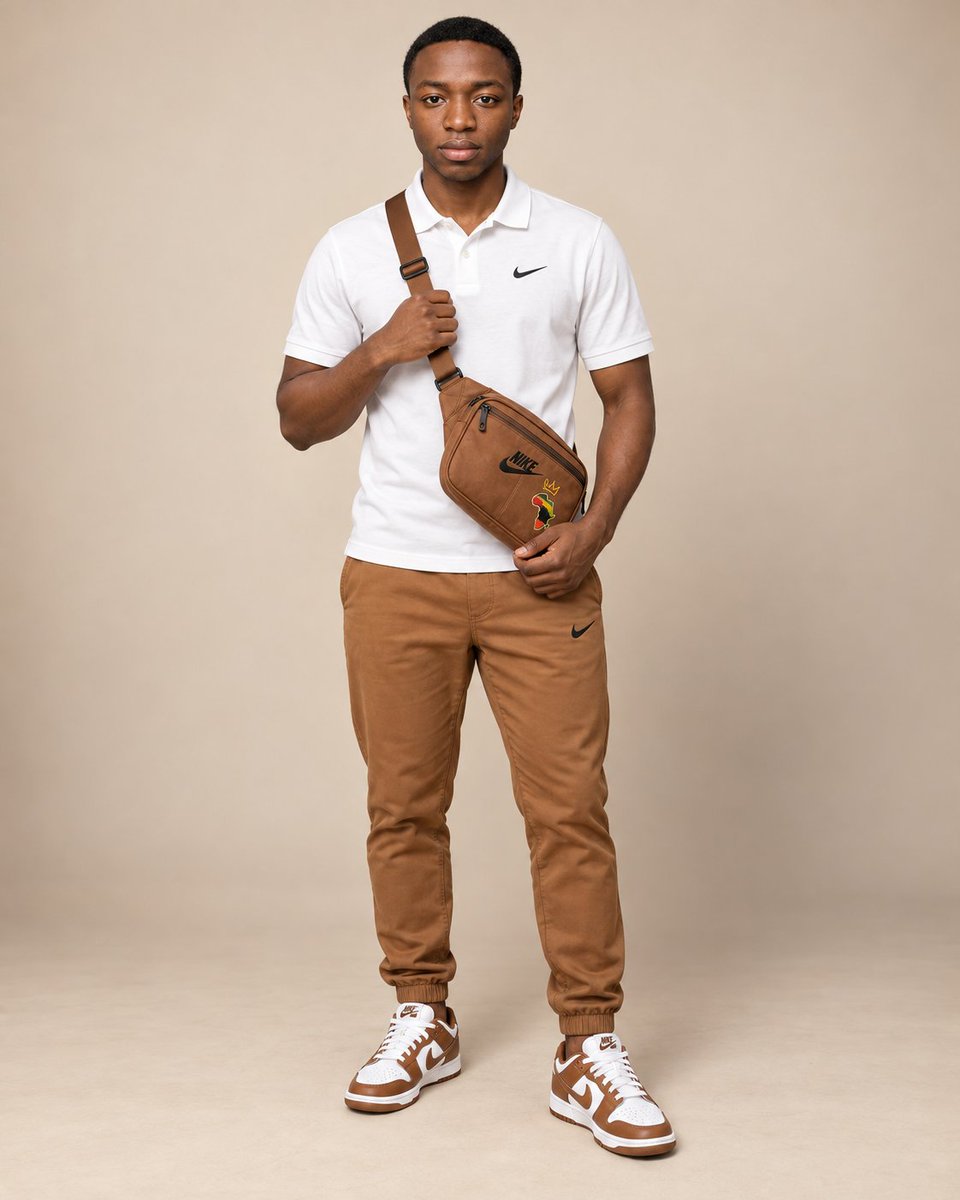
Create an ultra-realistic full-body studio fashion portrait of an adult man standing confidently against a seamless warm light-beige studio background. Position the man in the center of the frame, facing directly toward the camera with a calm, composed expression and relaxed posture. Give him a neat short natural haircut with a clean hairline and well-groomed appearance. Dress him in a clean white short-sleeve polo shirt with a small black Nike swoosh on the chest, paired with fitted warm caramel-brown jogger trousers. Add stylish white-and-brown low-top Nike sneakers that coordinate perfectly with the trousers and accessories. Place a premium caramel-brown crossbody sling bag diagonally across his torso, with the strap running over one shoulder. The bag should rest naturally around his lower abdomen/hip area and feature subtle black sports branding and tasteful colorful graphic embroidery on the front. Pose one hand lightly holding the lower part of the crossbody bag while the other hand rests naturally near the strap across his chest, creating a relaxed streetwear-fashion pose. Use soft professional studio lighting with gentle frontal illumination, subtle shadows beneath the subject, natural skin texture, realistic fabric folds, highly detailed leather/suede textures, and clean footwear details. Keep the background minimal and distraction-free with a soft warm neutral gradient. Style the image as a premium adult streetwear campaign portrait, modern, clean, fashionable, photorealistic, balanced composition, sharp facial detail, realistic proportions, full-body framing, high-end commercial photography, 85mm lens look, soft depth of field, ultra-high resolution. Aspect ratio: 4:5 vertical portrait.

@Abkr Sadiq
E-commerce Main Image - Minimalist Fashion E-Commerce Grid
GPT Image 2

E-commerce Main Image - Minimalist Fashion E-Commerce Grid

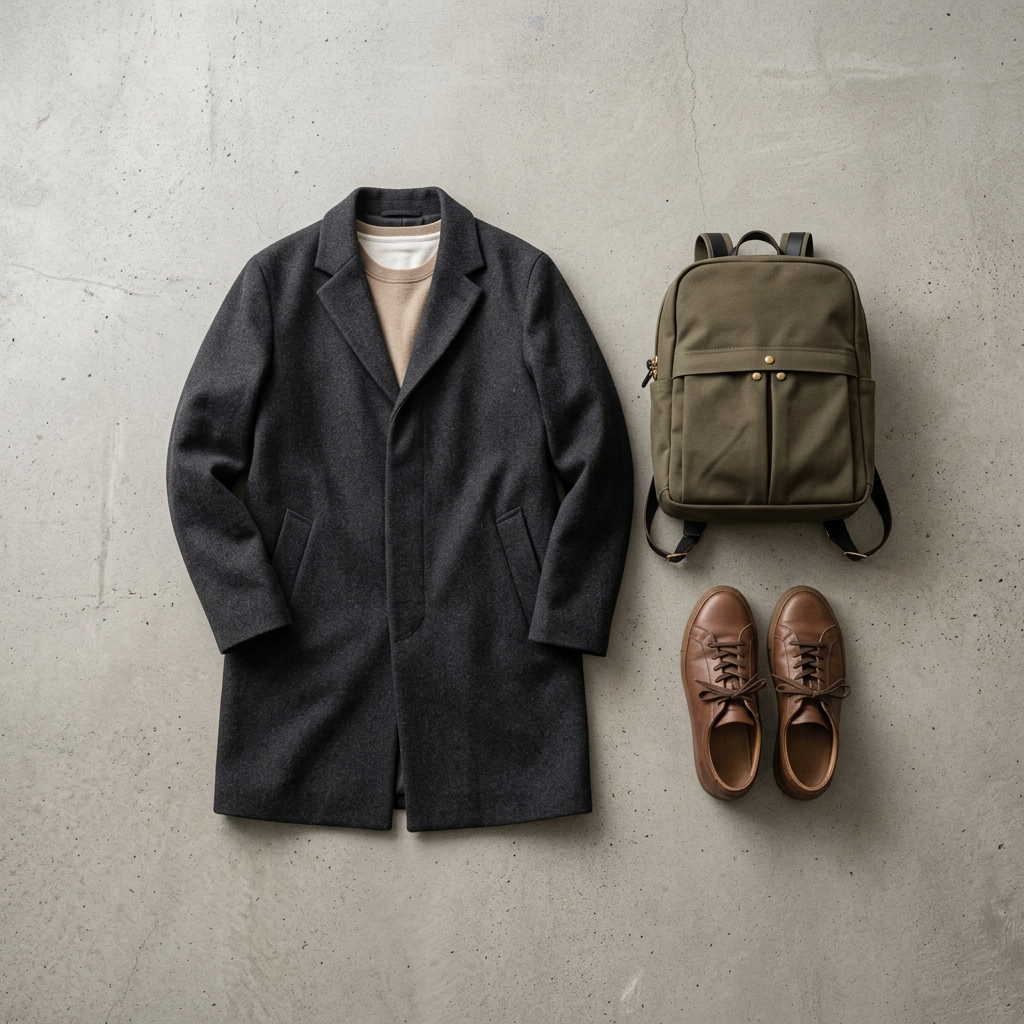
[Brand & Product Information] - Brand Name: {argument name="brand name" default="Tsubaki, Modern Japan Apparel"} - Collection Name: {argument name="collection" default="A/W 2026 COLLECTION"} - Representative Item Price: {argument name="price" default="¥18,000 + TAX"} [Image Quality/Direction/Composition] - Style: Lookbook photography for an e-commerce site of a minimalist and sophisticated Japanese fashion/lifestyle brand. - Composition: A flat lay or orderly display of apparel items (bags, outerwear, shoes, etc.) carefully arranged on a studio flooring or concrete floor with natural light shining in. - Typography Placement (for GPT-image / Nano Banana Pro): The brand name {argument name="brand name" default="Tsubaki, Modern Japan Apparel"}, collection text {argument name="collection" default="A/W 2026 COLLECTION"}, and price {argument name="price" default="¥18,000 + TAX"} are placed discreetly in the corners in an ultra-thin font. - Lighting/Color: Very soft light like natural light on a cloudy day, low contrast, and calm tones based on earth colors (beige, olive, charcoal gray, off-white). [Strict Layout and Output Constraints (Required)] - Output the finished design itself filling the entire screen. Background and scene depictions (walls, spaces, shadows, etc.) inside the design may follow the instructions in the text. - Prohibited items: Photos of the finished poster in a frame, on a wall, mockup photos on a desk/paper, perspective warp, or drop shadows. - Output the finished flat 2D design itself, filling the entire canvas. Scene elements inside the design (walls, rooms, shadows) described above are allowed. Absolutely NO photo-of-a-poster mockups: no picture frames, no poster-on-wall or poster-on-desk shots, no perspective warp or drop shadow around the artwork's edges. - Aspect Ratio: "--ar 1:1" or "--ar 4:3"

@AI Guide-Note - 実務で使えるAI活用メディア
E-commerce Main Image - Commercial Pink Berry Smoothie Photography
GPT Image 2

E-commerce Main Image - Commercial Pink Berry Smoothie Photography

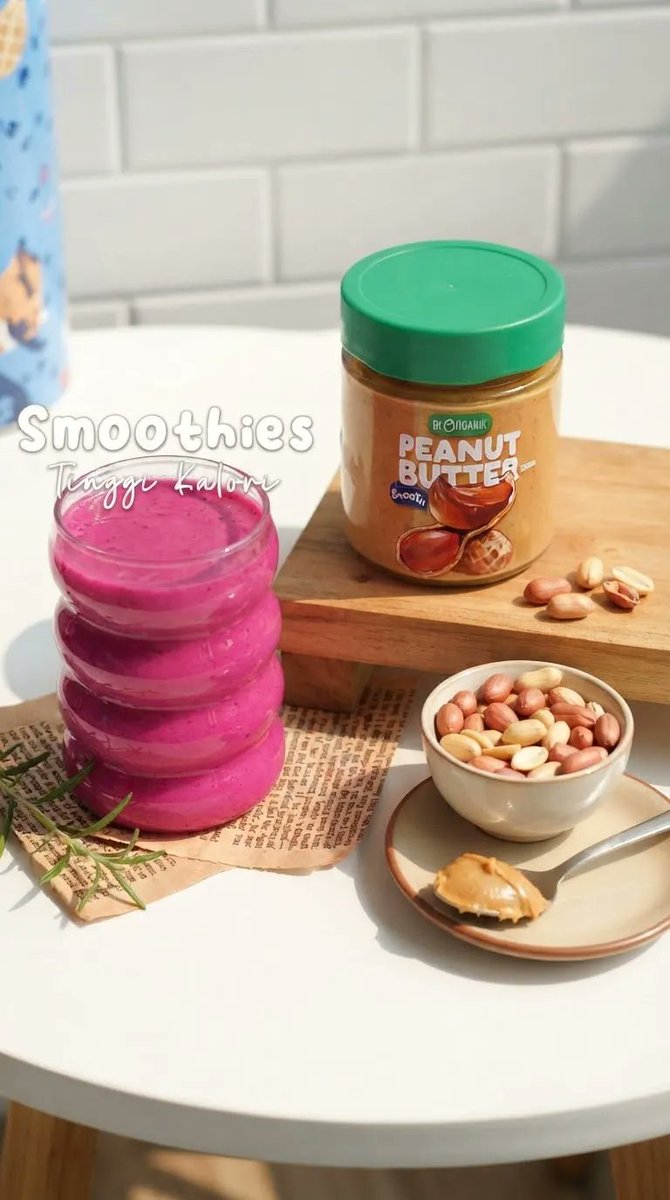
Create an ultra-realistic, high-end food photography scene in a bright, cozy modern kitchen. A {argument name="drink type" default="vibrant thick pink berry smoothie"} is served in a {argument name="glassware" default="stack of three small transparent glass jars"}, arranged vertically on the left side of a clean white round table. The smoothie has a rich creamy texture with subtle berry speckles and glossy highlights. On the right, place a clear jar of {argument name="complementary food" default="organic peanut butter"} with a green lid, filled with golden-brown creamy peanut butter. Preserve the product packaging, label placement, colors, and proportions accurately. Scatter a few whole peanuts naturally beside the jar. In the foreground, include a small ceramic bowl filled with mixed roasted peanuts and a beige ceramic plate holding a spoon with a generous scoop of creamy peanut butter. Add a few delicate green herb sprigs near the smoothie. Background: clean white subway-tile kitchen wall, soft natural sunlight coming from the side, subtle shadows, warm cozy atmosphere. Place the food items on a small wooden serving board with a sheet of vintage printed paper underneath. Add elegant handwritten-style white text in the upper-left area reading “Smoothies”, with smaller cursive text underneath reading “Tingi Kalori. Vertical 9:16 composition, premium commercial food photography, realistic textures, natural daylight, shallow depth of field, soft bokehcrisp product details, balanced composition, warm lifestyle aesthetic, photorealistic, high resolution, no people

@Dua Fatima
E-commerce Main Image - Macro Pink Beverage Photography
GPT Image 2

E-commerce Main Image - Macro Pink Beverage Photography

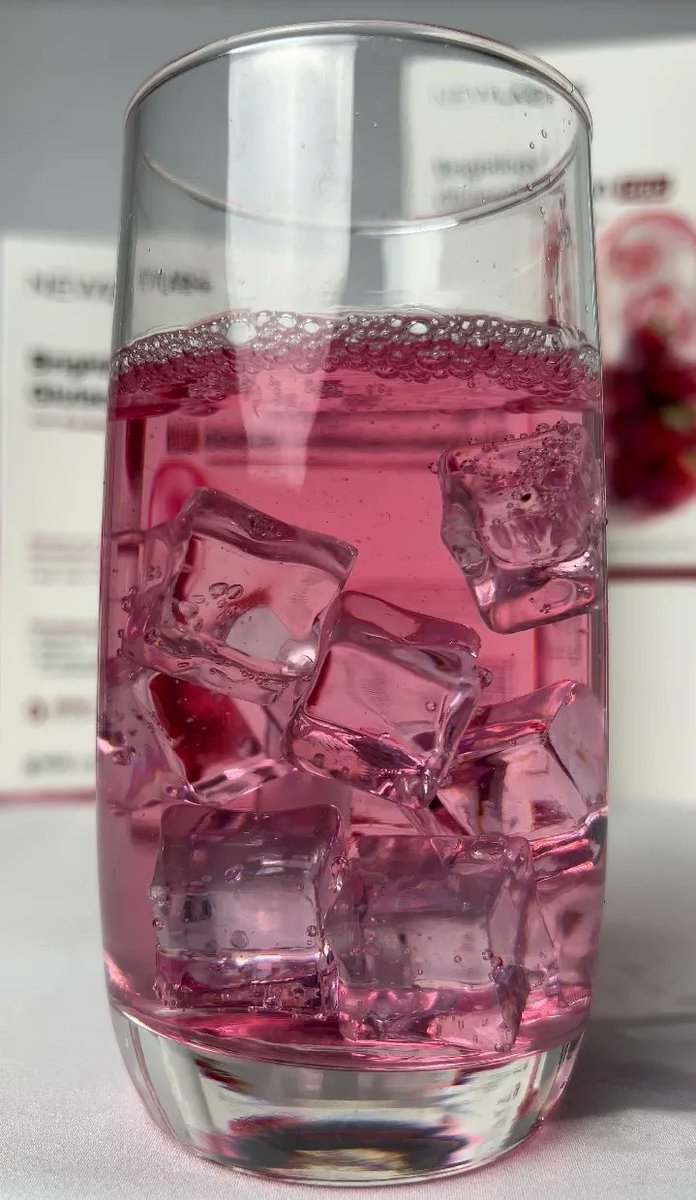
A photorealistic close-up of a {argument name="container" default="tall, crystal-clear cylindrical glass"} filled with a {argument name="drink color" default="vibrant translucent pink"} fruit drink and several large irregular ice cubes. Tiny bubbles and delicate foam gather naturally across the surface, with condensation and small droplets visible on the ice and glass. Soft diffused daylight illuminates the drink, creating beautiful pink reflections and realistic refractions through the ice. {argument name="background" default="Minimal clean white background with a softly blurred product/package backdrop"}, shallow depth of field, elegant beverage photography, macro details, natural highlights, realistic glass distortion, crisp focus, premium commercial photography, vertical composition, 8K, ultra-realistic

@Dua Fatima
E-commerce Main Image - Professional Product Advertising Photo
GPT Image 2

E-commerce Main Image - Professional Product Advertising Photo

Professional advertising product photo of "{argument name="product" default="[PRODUCT NAME]"}", studio shot on a {argument name="background" default="neutral background [light beige / blue gradient]"}, soft diffused lighting, subtle shadows, product centered in frame, three-quarter angle view, high detail on material texture, clean modern aesthetic in the style of premium brand campaigns, 4K resolution, 1:1 aspect ratio

@Deny
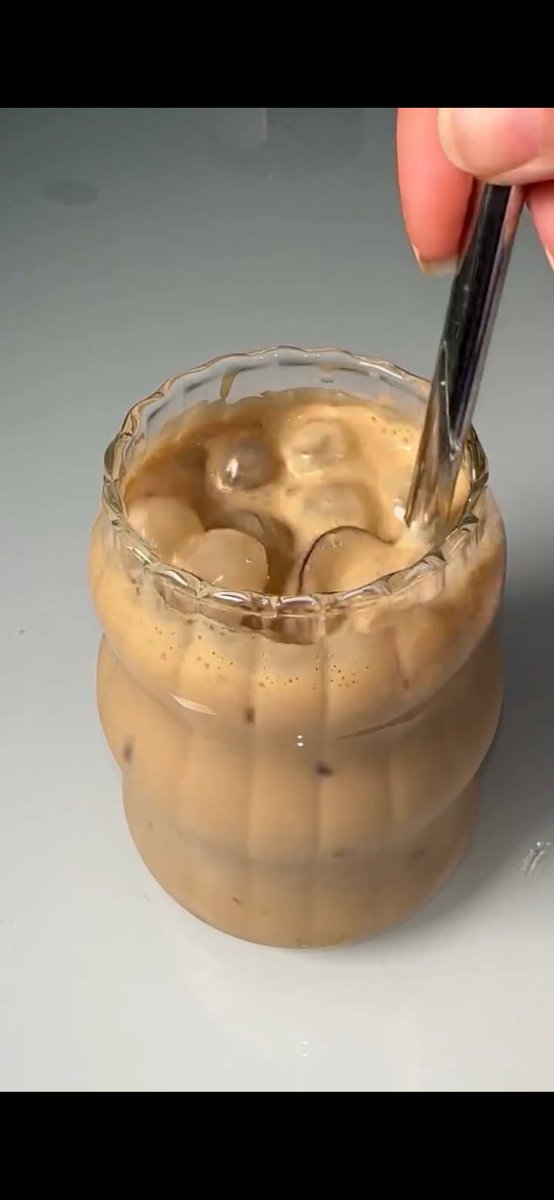
E-commerce Main Image - Stirred Iced Honey Latte Close-Up
GPT Image 2

E-commerce Main Image - Stirred Iced Honey Latte Close-Up

Create a photorealistic vertical 9:16 close-up image of an iced honey latte in a small clear textured glass on a glossy clean white tabletop, framed like a cinematic macro food-video still. The glass should have a scalloped wavy rim and vertical ribbed sides, filled with creamy tan coffee and milk, with exactly 7 visible clear ice cubes floating near the surface and inside the drink. A right hand enters from the upper right, thumb and fingers visible, holding exactly 1 shiny dark metal spoon inserted into the drink and stirring gently, creating soft swirling caramel-brown layers, tiny foam bubbles, and streaks of coffee along the inside of the glass. Use {argument name="drink color" default="creamy tan caramel coffee"}, {argument name="glass style" default="small clear scalloped ribbed glass"}, {argument name="tabletop color" default="glossy clean white"}, {argument name="lighting style" default="soft natural studio lighting"}, and {argument name="camera angle" default="tight overhead-leaning macro close-up"}. Keep the background minimal and slightly gray-white, with shallow depth of field, realistic liquid reflections, detailed ice highlights, appetizing creamy texture, smooth cinematic composition, no text, no logos, no extra objects.

@Dua Fatima

Some prompts are collected from creators on X. Copyright belongs to the original authors.